소셜 미디어 게시물 자동화: 콘텐츠 캘린더에서 API까지
콘텐츠 스케줄링부터 주요 플랫폼과의 API 통합까지 소셜 미디어 자동화 파이프라인 구축하기.
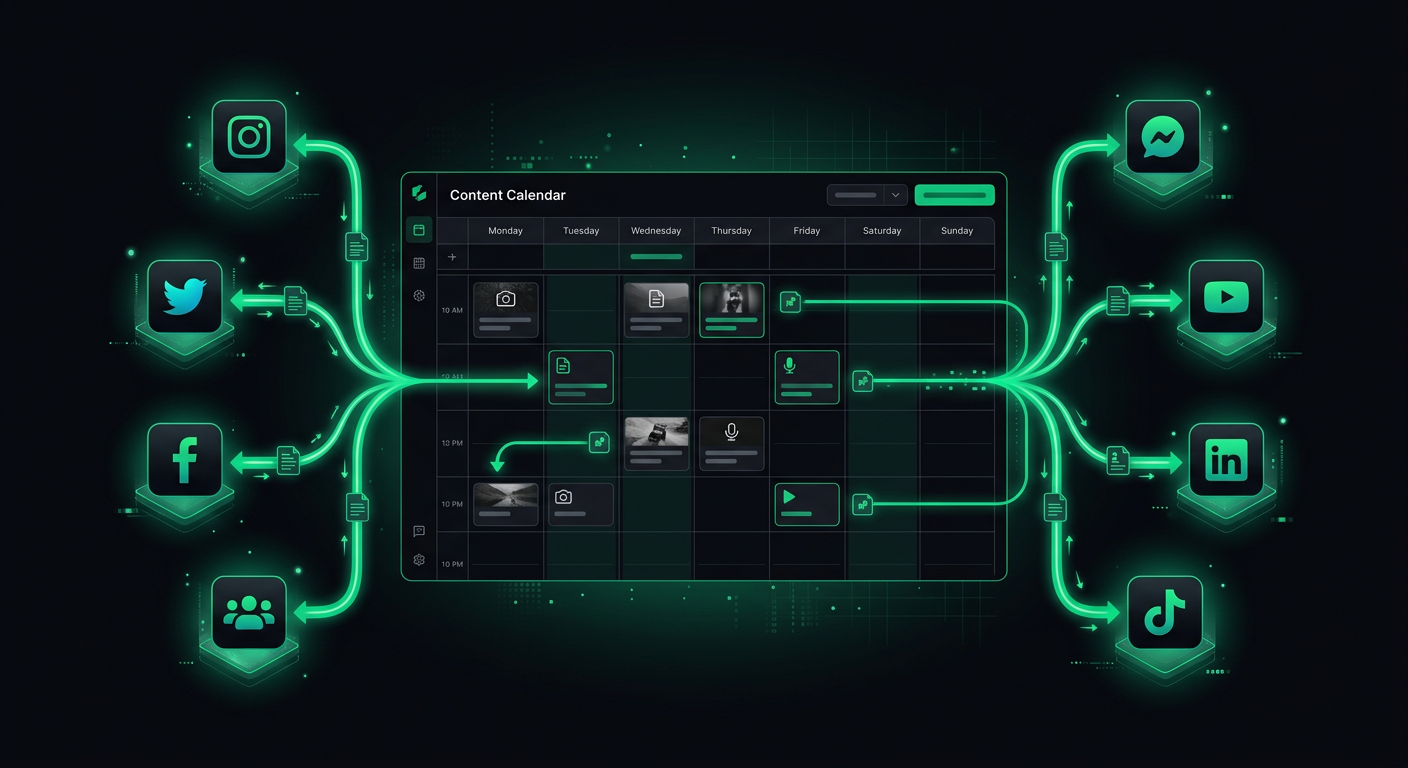
제품의 소셜 미디어를 관리한다는 것은 각 플랫폼의 API 특성, 인증 흐름, 미디어 요구 사항 및 속도 제한을 고려하여 일관성 있게 게시하는 것을 의미합니다. 일주일에 세 번씩 네 개의 플랫폼에 동일한 콘텐츠를 수동으로 게시한 후, 저는 스케줄링, 포맷팅, 미디어 처리 및 게시를 처리하는 자동화 파이프라인을 구축했습니다. 이 파이프라인에는 사람의 검토 없이 아무것도 게시되지 않도록 승인 단계가 포함되어 있습니다. 이 게시물은 아키텍처, 플랫폼별 주의 사항, 그리고 커스텀 구축과 기존 도구 사용 간의 장단점을 다룹니다.
플랫폼 API 환경
각 주요 플랫폼은 자체 API 생태계를 가지고 있으며, 개발자 경험은 극적으로 다릅니다. 2026년 초 현재 각 플랫폼의 솔직한 상태는 다음과 같습니다.
Twitter/X API
X API는 플랫폼 전환 이후 상당한 변화를 겪었습니다. 현재 API (v2)는 게시, 미디어 업로드 및 분석 엔드포인트를 제공합니다. 무료 티어는 월 1,500개의 게시물과 자신의 게시물에 대한 읽기 액세스를 허용하며, 이는 대부분의 자동화 사용 사례에 충분합니다.
인증 모델은 사용자 컨텍스트 작업(사용자를 대신하여 게시)에는 OAuth 2.0 with PKCE를 사용하고, 읽기 작업에는 OAuth 2.0 App-Only를 사용합니다. API는 합리적으로 잘 문서화되어 있으며 개발자 포털은 명확한 속도 제한 정보를 제공합니다.
import { TwitterApi } from 'twitter-api-v2';

const client = new TwitterApi({
  appKey: process.env.TWITTER_API_KEY!,
  appSecret: process.env.TWITTER_API_SECRET!,
  accessToken: process.env.TWITTER_ACCESS_TOKEN!,
  accessSecret: process.env.TWITTER_ACCESS_SECRET!,
});

async function postTweet(text: string, mediaIds?: string[]): Promise<string> {
  const tweet = await client.v2.tweet({
    text,
    ...(mediaIds && { media: { media_ids: mediaIds } }),
  });
  return tweet.data.id;
}

async function uploadMedia(filePath: string): Promise<string> {
  const mediaId = await client.v1.uploadMedia(filePath);
  return mediaId;
}
주요 제한 사항: 게시물은 280자 제한이 있습니다 (프리미엄 사용자는 더 길게). 이미지 업로드는 최대 5MB의 JPEG, PNG, GIF, WEBP를 지원합니다. 비디오 업로드는 최대 512MB의 MP4를 지원하지만, 15MB 이상의 파일에는 청크 업로드가 필요합니다. 스레드는 reply 설정을 사용하여 여러 게시물을 생성해야 하므로 복잡성이 추가됩니다.
Instagram Graph API
Instagram의 API는 Meta 생태계의 일부이며 Instagram 전문 계정에 연결된 Facebook 비즈니스 페이지가 필요합니다. 설정 과정은 악명 높게 복잡합니다. Meta 앱, 비즈니스 인증 (특정 기능의 경우), 그리고 올바른 권한 조합이 필요합니다.
게시 흐름은 두 단계입니다. 먼저 미디어 컨테이너를 생성한 다음 게시합니다.
async function postToInstagram(
  igUserId: string,
  imageUrl: string,
  caption: string,
  accessToken: string
): Promise<string> {
  // Step 1: Create media container
  const containerResponse = await fetch(
    `https://graph.facebook.com/v19.0/${igUserId}/media`,
    {
      method: 'POST',
      headers: { 'Content-Type': 'application/json' },
      body: JSON.stringify({
        image_url: imageUrl, // Must be a publicly accessible URL
        caption,
        access_token: accessToken,
      }),
    }
  );
  const container = await containerResponse.json();

  // Step 2: Publish the container
  const publishResponse = await fetch(
    `https://graph.facebook.com/v19.0/${igUserId}/media_publish`,
    {
      method: 'POST',
      headers: { 'Content-Type': 'application/json' },
      body: JSON.stringify({
        creation_id: container.id,
        access_token: accessToken,
      }),
    }
  );
  const result = await publishResponse.json();
  return result.id;
}
주요 주의 사항:
- 이미지는 공개적으로 접근 가능한 URL에 호스팅되어야 합니다. 바이너리 데이터를 직접 업로드할 수 없습니다. 즉, 게시하기 전에 S3 또는 CDN에 미디어를 호스팅해야 합니다.
- 캐러셀 게시물 (여러 이미지)은 각 이미지에 대한 개별 컨테이너를 생성한 다음, 이를 참조하는 캐러셀 컨테이너를 생성해야 합니다.
- 릴 (비디오)에는 추가 요구 사항이 있습니다: 9:16 종횡비, 3초에서 90초 사이, 그리고 비디오는 게시하기 전에 완전히 처리되어야 합니다.
- 액세스 토큰은 만료됩니다. 장기 토큰은 60일 동안 유효하며 주기적인 새로 고침이 필요합니다.
LinkedIn API
LinkedIn의 콘텐츠 게시 API는 "Community Management API" (이전에는 "Share API")를 사용합니다. 인증은 개인 프로필의 경우 w_member_social 스코프, 회사 페이지의 경우 w_organization_social 스코프와 함께 OAuth 2.0을 사용합니다.
async function postToLinkedIn(
  authorUrn: string, // "urn:li:person:xxx" or "urn:li:organization:xxx"
  text: string,
  accessToken: string
): Promise<string> {
  const response = await fetch('https://api.linkedin.com/v2/posts', {
    method: 'POST',
    headers: {
      Authorization: `Bearer ${accessToken}`,
      'Content-Type': 'application/json',
      'X-Restli-Protocol-Version': '2.0.0',
      'LinkedIn-Version': '202401',
    },
    body: JSON.stringify({
      author: authorUrn,
      commentary: text,
      visibility: 'PUBLIC',
      distribution: {
        feedDistribution: 'MAIN_FEED',
        targetEntities: [],
        thirdPartyDistributionChannels: [],
      },
      lifecycleState: 'PUBLISHED',
    }),
  });

  const postId = response.headers.get('x-restli-id');
  return postId || '';
}
주요 제한 사항: LinkedIn의 API 문서는 여러 버전과 명명 규칙에 걸쳐 흩어져 있습니다. 속도 제한은 대부분의 엔드포인트에 대해 사용자당 애플리케이션당 하루 100회 API 호출이며, 이는 게시에는 관대하지만 분석을 함께 가져오는 경우에는 빠듯합니다. 이미지 업로드는 등록된 업로드 요청과 함께 별도의 업로드 흐름이 필요합니다.
TikTok 콘텐츠 게시 API
TikTok의 콘텐츠 게시 API는 비교적 새롭고 다른 플랫폼보다 더 제한적입니다. Content Posting API에 대한 액세스를 특별히 신청해야 하며, 승인에는 몇 주가 걸릴 수 있습니다.
게시 흐름은 게시 초기화, 비디오 업로드, 그리고 게시 확인으로 구성됩니다.
async function postToTikTok(
  videoUrl: string,
  caption: string,
  accessToken: string
): Promise<string> {
  // Initialize the publish
  const initResponse = await fetch(
    'https://open.tiktokapis.com/v2/post/publish/video/init/',
    {
      method: 'POST',
      headers: {
        Authorization: `Bearer ${accessToken}`,
        'Content-Type': 'application/json',
      },
      body: JSON.stringify({
        post_info: {
          title: caption,
          privacy_level: 'SELF_ONLY', // Start as private, change after review
          disable_duet: false,
          disable_comment: false,
          disable_stitch: false,
        },
        source_info: {
          source: 'PULL_FROM_URL',
          video_url: videoUrl,
        },
      }),
    }
  );

  const result = await initResponse.json();
  return result.data.publish_id;
}
주요 주의 사항: TikTok은 모든 자동 게시물이 그렇게 공개되도록 요구합니다. 이를 위한 특정 API 플래그가 있습니다. 비디오는 TikTok의 콘텐츠 가이드라인 및 형식 요구 사항을 충족해야 합니다. API는 사용자 계정당 엄격한 일일 게시 제한이 있습니다. 가장 중요한 것은 TikTok의 API 생태계가 자주 변경되므로 구현하기 전에 현재 문서를 확인해야 합니다.
인증 흐름
네 가지 플랫폼 모두 OAuth 2.0을 사용하지만, 구현 세부 사항이 플랫폼별 처리가 필요할 정도로 다릅니다.
OAuth 과정
일반적인 흐름은 다음과 같습니다.
- 사용자에게 앱의
client_id와 요청된scopes를 포함하여 플랫폼의 인증 URL로 리디렉션합니다. - 사용자가 권한을 부여합니다. 플랫폼은 인증
code와 함께 앱의redirect_uri로 다시 리디렉션합니다. code를access_token(및 일반적으로refresh_token)으로 교환합니다.- API 호출에
access_token을 사용합니다. 만료되면 새로 고칩니다.
// Generic OAuth handler
interface OAuthConfig {
  clientId: string;
  clientSecret: string;
  redirectUri: string;
  authorizationUrl: string;
  tokenUrl: string;
  scopes: string[];
}

async function exchangeCodeForToken(
  config: OAuthConfig,
  code: string
): Promise<{ accessToken: string; refreshToken: string; expiresIn: number }> {
  const response = await fetch(config.tokenUrl, {
    method: 'POST',
    headers: { 'Content-Type': 'application/x-www-form-urlencoded' },
    body: new URLSearchParams({
      grant_type: 'authorization_code',
      code,
      redirect_uri: config.redirectUri,
      client_id: config.clientId,
      client_secret: config.clientSecret,
    }),
  });

  const data = await response.json();
  return {
    accessToken: data.access_token,
    refreshToken: data.refresh_token,
    expiresIn: data.expires_in,
  };
}
토큰 관리
토큰은 만료됩니다. Instagram 토큰은 60일 동안 유효합니다. LinkedIn 토큰은 60일 동안 유효합니다. Twitter 토큰은 취소될 때까지 유효하거나 (OAuth 1.0a의 경우) 새로 고침 토큰과 함께 단기적으로 유효합니다 (OAuth 2.0의 경우). TikTok 토큰은 24시간 동안 유효하며 새로 고침 토큰은 365일 동안 유효합니다.
토큰 새로 고침 시스템이 필요합니다.
interface StoredToken {
  platform: string;
  accessToken: string;
  refreshToken: string;
  expiresAt: Date;
}

async function getValidToken(platform: string): Promise<string> {
  const stored = await db.tokens.findUnique({ where: { platform } });
  if (!stored) throw new Error(`No token stored for ${platform}`);

  // Refresh if expiring within 5 minutes
  if (stored.expiresAt < new Date(Date.now() + 5 * 60 * 1000)) {
    const refreshed = await refreshToken(platform, stored.refreshToken);
    await db.tokens.update({
      where: { platform },
      data: {
        accessToken: refreshed.accessToken,
        refreshToken: refreshed.refreshToken || stored.refreshToken,
        expiresAt: new Date(Date.now() + refreshed.expiresIn * 1000),
      },
    });
    return refreshed.accessToken;
  }

  return stored.accessToken;
}
콘텐츠 스케줄링 아키텍처
스케줄링 시스템은 자동화 파이프라인의 핵심입니다. 시간대, 플랫폼별 포맷팅, 미디어 처리 및 실패 복구를 처리해야 합니다.
데이터 모델
interface ScheduledPost {
  id: string;
  content: {
    text: string;
    media?: MediaAttachment[];
    platformOverrides?: Record<string, { text?: string }>;
  };
  platforms: Platform[];
  scheduledAt: Date;  // UTC
  timezone: string;   // IANA timezone for display
  status: 'draft' | 'approved' | 'scheduled' | 'publishing' | 'published' | 'failed';
  results: Record<string, PostResult>;
  retryCount: number;
  createdBy: string;
  approvedBy?: string;
  approvedAt?: Date;
}

interface MediaAttachment {
  originalUrl: string;
  processedUrls: Record<string, string>; // Platform-specific processed versions
  type: 'image' | 'video';
  altText?: string;
}

interface PostResult {
  platform: string;
  postId?: string;
  url?: string;
  error?: string;
  publishedAt?: Date;
}
platformOverrides 패턴
각 플랫폼은 다른 문자 제한, 해시태그 규칙 및 포맷팅 규범을 가지고 있습니다. 완전히 별도의 게시물을 만드는 대신, 플랫폼별 재정의가 있는 기본 텍스트를 사용합니다.
const post: ScheduledPost = {
  id: 'post-1',
  content: {
    text: 'Excited to announce our new feature: real-time order tracking. Customers can now see exactly where their delivery is. #product #launch',
    platformOverrides: {
      twitter: {
        text: 'Just shipped: real-time order tracking. Your customers can now watch their delivery in real-time. #buildinpublic',
      },
      linkedin: {
        text: 'Excited to announce our latest feature: real-time order tracking.\n\nThis was one of the most requested features from our restaurant partners. Customers can now see exactly where their delivery is, reducing "where is my food?" support tickets by an estimated 40%.\n\nBuilt with WebSockets and a lightweight location service. Happy to share the technical architecture with anyone interested.\n\n#productdevelopment #startups #foodtech',
      },
    },
  },
  platforms: ['twitter', 'instagram', 'linkedin'],
  scheduledAt: new Date('2026-03-15T14:00:00Z'),
  timezone: 'America/New_York',
  status: 'approved',
  results: {},
  retryCount: 0,
  createdBy: 'user-1',
};
Twitter는 간결한 버전을 얻습니다. LinkedIn은 더 길고 전문적인 버전을 얻습니다. Instagram은 기본 텍스트를 캡션으로 사용합니다. 이 접근 방식은 완전히 별도의 콘텐츠 캘린더를 유지하지 않고도 플랫폼 규범을 존중합니다.
미디어 처리
미디어 처리는 파이프라인에서 가장 오류가 발생하기 쉬운 부분입니다. 각 플랫폼은 이미지 크기, 파일 크기, 형식 및 종횡비에 대해 다른 요구 사항을 가지고 있습니다.
처리 파이프라인
interface MediaRequirements {
  maxWidth: number;
  maxHeight: number;
  maxFileSize: number; // bytes
  supportedFormats: string[];
  aspectRatios?: { min: number; max: number };
}

const platformRequirements: Record<string, MediaRequirements> = {
  twitter: {
    maxWidth: 4096,
    maxHeight: 4096,
    maxFileSize: 5 * 1024 * 1024, // 5MB
    supportedFormats: ['jpeg', 'png', 'gif', 'webp'],
  },
  instagram: {
    maxWidth: 1440,
    maxHeight: 1440,
    maxFileSize: 8 * 1024 * 1024,
    supportedFormats: ['jpeg', 'png'],
    aspectRatios: { min: 4 / 5, max: 1.91 },
  },
  linkedin: {
    maxWidth: 4096,
    maxHeight: 4096,
    maxFileSize: 10 * 1024 * 1024,
    supportedFormats: ['jpeg', 'png', 'gif'],
  },
};

async function processMediaForPlatform(
  originalUrl: string,
  platform: string
): Promise<string> {
  const requirements = platformRequirements[platform];
  const image = await sharp(await downloadFile(originalUrl));
  const metadata = await image.metadata();

  let processed = image;

  // Resize if exceeding max dimensions
  if (
    (metadata.width && metadata.width > requirements.maxWidth) ||
    (metadata.height && metadata.height > requirements.maxHeight)
  ) {
    processed = processed.resize(requirements.maxWidth, requirements.maxHeight, {
      fit: 'inside',
      withoutEnlargement: true,
    });
  }

  // Enforce aspect ratio for Instagram
  if (requirements.aspectRatios && metadata.width && metadata.height) {
    const currentRatio = metadata.width / metadata.height;
    if (
      currentRatio < requirements.aspectRatios.min ||
      currentRatio > requirements.aspectRatios.max
    ) {
      // Crop to acceptable ratio
      const targetRatio = Math.max(
        requirements.aspectRatios.min,
        Math.min(currentRatio, requirements.aspectRatios.max)
      );
      const newWidth = Math.round(metadata.height * targetRatio);
      processed = processed.resize(newWidth, metadata.height, { fit: 'cover' });
    }
  }

  // Convert to supported format
  const format = requirements.supportedFormats.includes('webp') ? 'webp' : 'jpeg';
  const buffer = await processed.toFormat(format, { quality: 85 }).toBuffer();

  // Upload processed image and return URL
  const processedUrl = await uploadToStorage(buffer, `processed/${platform}/${Date.now()}.${format}`);
  return processedUrl;
}
이미지 처리에 Sharp를 사용하면 파이프라인을 빠르게 유지하고 EXIF 회전, 색상 프로필 변환 및 형식 호환성과 같은 예외 상황을 처리합니다. 비디오 처리의 경우 FFmpeg가 트랜스코딩을 처리하지만, 비디오 처리는 훨씬 더 복잡하고 리소스 집약적입니다. 저는 일반적으로 이를 전용 워커 또는 클라우드 함수로 오프로드합니다.
속도 제한 및 재시도 로직
모든 플랫폼은 속도 제한을 적용하며, 이를 부적절하게 초과하면 게시물 실패 및 잠재적으로 일시적인 API 차단이 발생합니다.
속도 제한 추적
interface RateLimitState {
  platform: string;
  remaining: number;
  resetAt: Date;
  limit: number;
}

class RateLimiter {
  private limits: Map<string, RateLimitState> = new Map();

  updateFromHeaders(platform: string, headers: Headers): void {
    const remaining = parseInt(headers.get('x-rate-limit-remaining') || '100');
    const resetTimestamp = parseInt(headers.get('x-rate-limit-reset') || '0');

    this.limits.set(platform, {
      platform,
      remaining,
      resetAt: new Date(resetTimestamp * 1000),
      limit: parseInt(headers.get('x-rate-limit-limit') || '100'),
    });
  }

  async waitIfNeeded(platform: string): Promise<void> {
    const state = this.limits.get(platform);
    if (!state) return;

    if (state.remaining <= 1 && state.resetAt > new Date()) {
      const waitMs = state.resetAt.getTime() - Date.now() + 1000; // 1s buffer
      console.log(`Rate limited on ${platform}. Waiting ${waitMs}ms`);
      await new Promise((resolve) => setTimeout(resolve, waitMs));
    }
  }
}
지수 백오프를 사용한 재시도
모든 실패가 영구적인 것은 아닙니다. 네트워크 시간 초과, 일시적인 서버 오류 및 속도 제한은 모두 재시도 가능합니다. 데이터베이스 오류 및 인증 실패는 재시도할 수 없습니다.
async function publishWithRetry(
  post: ScheduledPost,
  platform: string,
  maxRetries: number = 3
): Promise<PostResult> {
  for (let attempt = 0; attempt <= maxRetries; attempt++) {
    try {
      await rateLimiter.waitIfNeeded(platform);
      const result = await publishToPlatform(post, platform);
      return { platform, postId: result.id, url: result.url, publishedAt: new Date() };
    } catch (error) {
      const isRetryable =
        error instanceof RateLimitError ||
        error instanceof NetworkError ||
        (error instanceof ApiError && error.statusCode >= 500);

      if (!isRetryable || attempt === maxRetries) {
        return {
          platform,
          error: error instanceof Error ? error.message : 'Unknown error',
        };
      }

      const backoffMs = Math.min(1000 * Math.pow(2, attempt), 30000);
      const jitter = Math.random() * 1000;
      await new Promise((resolve) => setTimeout(resolve, backoffMs + jitter));
    }
  }

  return { platform, error: 'Max retries exceeded' };
}
지터는 중요합니다. 지터가 없으면 동일한 백오프 일정에 동기화된 여러 재시도 클라이언트가 모두 동시에 재시도하여 "thundering herd" 문제를 일으킵니다.
콘텐츠 승인 워크플로
사람의 검토 없이 자동 게시하는 것은 위험합니다. 포맷팅 오류, 위기 상황에서의 부적절한 게시물, 또는 잘못된 링크는 실제 피해를 초래할 수 있습니다. 저는 파이프라인에 필수적인 승인 단계를 포함시켰습니다.
승인 흐름
콘텐츠 생성 → 상태: DRAFT
       │
       ▼
미리보기 생성 → 검토자에게 알림 (Slack/이메일)
       │
       ▼
검토자 승인 → 상태: APPROVED → 게시 예정
       │
   또는 거부 → 상태: DRAFT (피드백 포함) → 작성자에게