What Every Business Owner Should Know Before Building an App
The questions you need to answer before investing in a custom app — from validation to budgeting, technology choices, and ongoing costs.
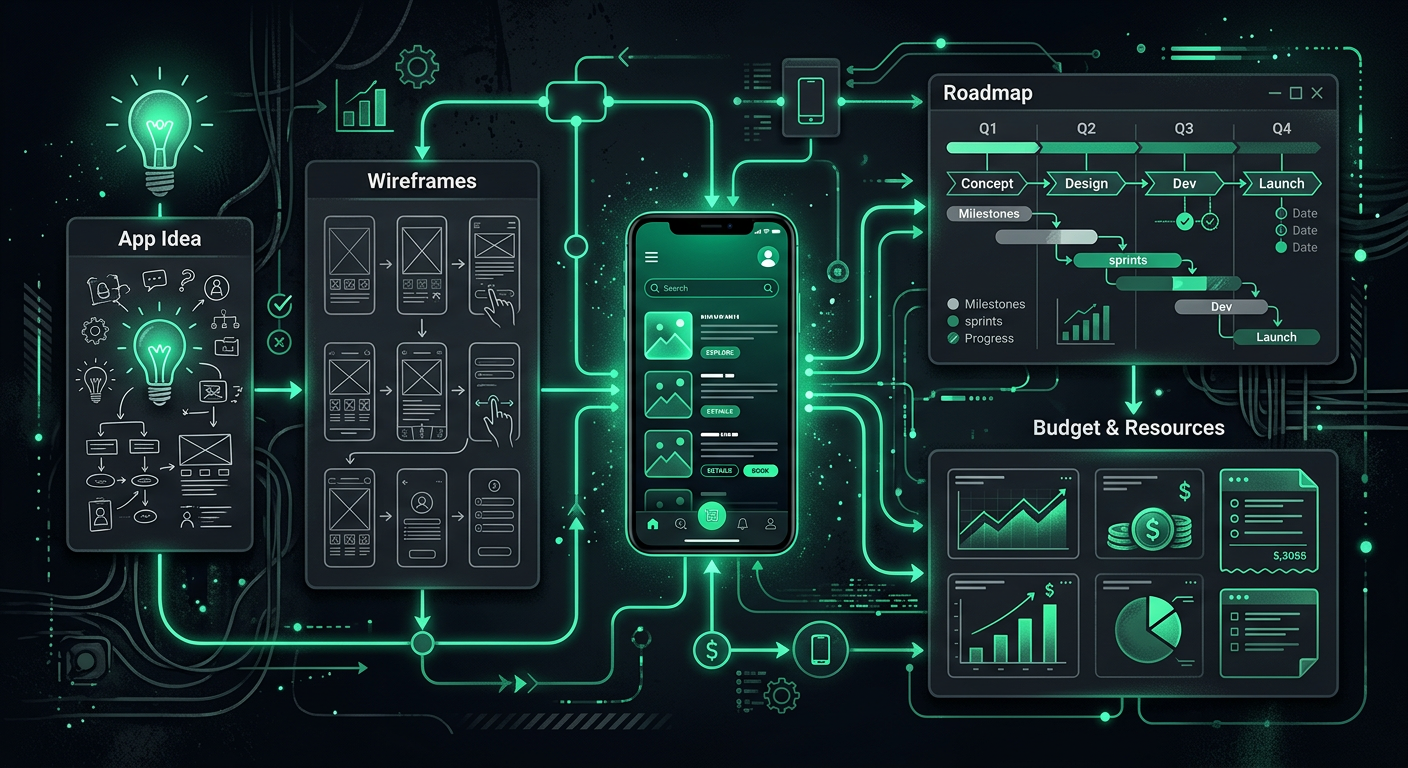
The conversation usually starts with "I have an idea for an app." What follows is either one of the most rewarding business investments you will ever make, or one of the most expensive lessons you will ever learn. The difference almost always comes down to what happens before a single line of code is written. The businesses that succeed with custom apps are the ones that validate thoroughly, plan realistically, and understand what they are committing to — not just the build, but the years of maintenance, updates, and evolution that follow. Here is everything I wish every business owner knew before starting the process.
Validating the App Idea
Before you spend a dollar on development, you need honest answers to a fundamental question: does this app need to exist? Not "would it be cool if it existed" — does it solve a real problem that real people will pay real money (or real attention) to solve?
The Problem Test
Write down the specific problem your app solves. Not in marketing language — in plain, honest terms. "Small restaurant owners waste 3-5 hours per week manually managing reservations across phone, email, and walk-ins, leading to double-bookings and no-shows." That is a clear problem statement. "An app that disrupts the restaurant space with AI-powered dining experiences" is not — it is a solution in search of a problem.
Talk to 20-30 people who have the problem you are trying to solve. Not friends and family who will tell you what you want to hear — actual potential users. Ask them how they currently handle the problem, what solutions they have tried, what those solutions are missing, and what they would pay for a better one. If you cannot find 20 people who care about this problem enough to spend 15 minutes talking to you about it, that tells you something important.
The Existing Solutions Test
Search the App Store and Google Play for apps that address the same problem. If you find nothing, that is not necessarily good news — it might mean the market is too small or the problem is not painful enough to warrant a solution. If you find several competitors, that is actually encouraging — it confirms market demand — but you need a clear answer to "why would someone choose mine?"
The best app opportunities are not in completely empty markets. They are in markets where existing solutions are mediocre, overpriced, or poorly suited to a specific segment. "There are reservation apps, but none of them work well for restaurants with fewer than 20 tables and no host staff" is a viable niche.
The Willingness-to-Pay Test
The ultimate validation is whether people will put money down before the app exists. Create a landing page that describes your app's value proposition, shows mockups or a demo video, and has a "Pre-order" or "Join the waitlist" button. Drive some traffic to it through targeted ads ($200-500 is enough for a meaningful test). If people are signing up, clicking the purchase button, or entering their email addresses, you have evidence of real demand. If no one engages, you have saved yourself tens of thousands of dollars.
MVP vs. Full Product
The concept of a Minimum Viable Product has been discussed so much that it has almost lost its meaning, but the principle behind it remains critical: build the smallest thing that lets you test your core assumption with real users.
What an MVP Actually Is
An MVP is not a half-broken version of your full vision. It is a fully functional product that does one thing well. Instagram's MVP was a photo-sharing app with filters — no stories, no reels, no shopping, no direct messages. Uber's MVP worked in one city with one car type. Dropbox's MVP was literally a video showing what the product would do, before the product existed.
Your MVP should include only the features that are absolutely essential to delivering the core value. If your app is a restaurant reservation system, the MVP is: restaurant creates available time slots, customer books a slot, both parties get a confirmation. That is it. Table management, waitlist features, analytics dashboards, integrations with POS systems — all of those can come later, after you have confirmed that people will use and pay for the basic reservation flow.
The Feature Trap
The single most common mistake in app development is building too many features before launch. Every additional feature adds development time, testing complexity, potential bugs, and cognitive load for users. I have seen projects that should have taken three months stretch to twelve because the scope kept expanding — "while we are at it, let's also add..." is the most expensive phrase in software development.
Resist the urge to match your competitor's feature list on day one. They have been building for years. You need to match their core value and beat them in one specific area — simplicity, price, focus on an underserved segment, or a genuinely better experience for the primary use case.
How to Define Your MVP Scope
List every feature you envision for the full product. Then categorize each feature as "must have for launch" (without this, the app has no value), "should have soon" (users will expect this within a few months), or "nice to have eventually" (adds value but not critical). Be ruthless — most features that feel like "must haves" are actually "should haves" or "nice to haves."
Your MVP is only the "must have" list. If that list has more than 5-8 features, you probably have not been ruthless enough.
Realistic Budgets
App development costs are notoriously hard to estimate, and the range you will find online — "$10,000 to $500,000" — is not particularly helpful. Let me give you more specific guidance based on the type of app and the development approach.
Budget Ranges by Complexity
Simple apps (single-purpose tools, content-based apps, basic utilities with limited backend requirements): $30,000-60,000. Think of a branded loyalty app, a simple booking tool, or an information reference app.
Medium-complexity apps (user accounts, real-time features, payment processing, third-party integrations, admin dashboard): $60,000-120,000. This covers most business applications — marketplace MVPs, service scheduling platforms, CRM-connected client apps, or custom internal tools.
Complex apps (real-time communication, complex data processing, multiple user roles with different interfaces, hardware integration, offline functionality, regulatory compliance): $120,000-250,000+. Health tech apps with HIPAA compliance, fintech apps with banking integrations, logistics platforms with real-time tracking — these live in this range.
What Drives Costs
Design typically represents 15-25% of the total budget. Custom UI design, user research, prototyping, and interaction design all take time. Skimping on design to save money usually costs more in the long run through poor adoption and higher user support costs.
Backend complexity is often the hidden cost driver. The visible part of the app — the screens and buttons — is typically 30-40% of the work. The invisible part — servers, databases, APIs, authentication, security, payment processing, push notifications — is the majority of the effort.
Third-party integrations (connecting your app to other systems like payment processors, maps, social media, CRM systems, accounting software) add significant complexity. Each integration means understanding another system's API, handling authentication, managing data synchronization, and dealing with changes when the third party updates their system.
Platform coverage — building for both iOS and Android — roughly doubles the development effort if done natively. Cross-platform approaches (discussed below) reduce this multiplier but do not eliminate it entirely.
Offshore vs. Domestic Development
Development agencies in North America and Western Europe typically charge $150-250/hour. Eastern European agencies charge $50-100/hour. Agencies in South and Southeast Asia charge $25-60/hour.
The lower hourly rate does not always mean lower total cost. Communication overhead, time zone challenges, cultural differences in project management, and varying quality standards can extend timelines and require more revision cycles. A project quoted at $40,000 from an offshore team might end up costing $55,000 after additional rounds of revision and management overhead, while a domestic team might quote $80,000 and deliver it on budget.
The right choice depends on your project's complexity, your ability to manage the process, and your tolerance for communication friction. For straightforward projects with well-defined requirements, offshore teams can deliver excellent value. For complex, ambiguous projects that require close collaboration and rapid iteration, proximity and cultural alignment often justify the higher rate.
Timeline Expectations
Realistic timelines are consistently longer than what most business owners expect and longer than what many development teams initially estimate.
Typical Timelines
Discovery and design phase: 4-8 weeks. This includes requirements definition, user research, information architecture, wireframing, visual design, and prototyping. Rushing this phase is the most common source of costly mid-development changes.
MVP development: 3-6 months for simple to medium-complexity apps. This includes frontend development, backend development, integration work, and internal testing.
Testing and quality assurance: 2-4 weeks of dedicated testing after development, including device testing, performance testing, security testing, and user acceptance testing.
App store submission and approval: 1-2 weeks for Apple's review process (which can sometimes take longer for first-time submissions or complex apps), and 1-3 days for Google Play.
Total timeline for an MVP launch: typically 5-9 months from kickoff to live product.
If someone tells you they can build your app in 4-6 weeks, be cautious. Either the app is extremely simple, they are planning to cut corners on design and testing, or they are underestimating the work. All three scenarios carry significant risk.
Native vs. Cross-Platform
This is one of the most consequential technical decisions, and it directly affects your budget, timeline, and the long-term trajectory of your app.
Native Development
Native development means building separate apps for iOS (using Swift) and Android (using Kotlin), each using the platform's own tools and design patterns. The result is an app that feels perfectly at home on each platform — smooth animations, native UI components, full access to device features, and optimal performance.
The trade-off is cost and time. You are effectively building two apps, which means roughly double the development effort, two codebases to maintain, and the need for developers skilled in each platform. For apps where performance is critical (games, video, real-time communication) or where deep platform integration is needed (health kit, advanced camera features, AR), native is often the right choice despite the cost.
Cross-Platform Development
Cross-platform frameworks let you write one codebase that runs on both iOS and Android. The leading options today are React Native and Flutter.
React Native (developed by Meta) uses JavaScript/TypeScript and produces genuinely native UI components. It has a large developer community, extensive library ecosystem, and is used by companies like Instagram, Shopify, and Discord. For business applications — forms, lists, maps, payments, messaging — React Native delivers 90-95% of native quality at 60-70% of the cost.
Flutter (developed by Google) uses the Dart programming language and renders its own UI rather than using native components. This gives Flutter pixel-perfect consistency across platforms and excellent performance, but it also means the app might feel slightly "non-native" to users accustomed to platform-specific design patterns. Flutter has gained significant traction and is used by companies like BMW, eBay, and Toyota.
For most business applications, cross-platform development is the right choice. The cost savings are significant, the quality gap has narrowed to the point of being negligible for most use cases, and maintaining one codebase instead of two dramatically reduces ongoing costs.
Progressive Web Apps
For some use cases, you do not need a native app at all. A Progressive Web App (PWA) is essentially a website that behaves like an app — it can work offline, send push notifications (on Android; iOS support is still limited), and be installed on the home screen. PWAs cost a fraction of native app development (typically $15,000-40,000) and are accessible to anyone with a web browser.
PWAs are a strong fit for content-heavy apps, simple transactional tools, and internal business applications. They are not suitable for apps that need deep device integration, high-performance graphics, or a presence in the app stores.
Ongoing Costs
The build cost is the first check you write, not the last. Running an app has ongoing costs that many business owners do not account for in their initial planning.
Hosting and Infrastructure
Your app's backend needs to run somewhere. Cloud hosting through AWS, Google Cloud, or Azure typically costs $100-500/month for a low-to-moderate traffic app, scaling up to $1,000-5,000/month as your user base grows. Services like Firebase or Supabase offer simpler, more predictable pricing for smaller applications.
Maintenance and Bug Fixes
Budget 15-20% of the initial development cost per year for ongoing maintenance. For a $100,000 app, that is $15,000-20,000/year. This covers bug fixes, security patches, compatibility updates when Apple and Google release new operating system versions, and minor improvements based on user feedback.
This is not optional. An unmaintained app degrades rapidly. Operating system updates break things. Security vulnerabilities emerge. Third-party APIs change. Ignoring maintenance for a year typically results in a significantly degraded user experience and a much more expensive repair bill when you finally address the accumulated issues.
Feature Updates
Beyond maintenance, your app needs to evolve. User feedback will reveal needed improvements, market conditions will change, and competitors will not stand still. Budget for 2-4 significant feature updates per year, each costing $5,000-30,000 depending on complexity.
Support
Users will have questions, encounter bugs, and need help. Someone needs to respond to support emails, monitor app store reviews, and escalate technical issues to your development team. Whether that is you, a team member, or a support service, account for the time and cost.
App Store Fees
Apple App Store
Apple charges a $99/year developer account fee. More significantly, Apple takes a 30% commission on all in-app purchases and subscriptions (reduced to 15% for subscriptions after the first year, and 15% for developers earning less than $1 million/year through the Small Business Program). If your app charges $10/month for a subscription, Apple takes $3 of the first year and $1.50 thereafter.
Apple's review process is also more stringent. Expect detailed review of your app's functionality, content, and business model. Apps that compete with Apple's own services, include certain types of content, or use non-standard business models can face extended review times or rejection.
Google Play Store
Google charges a one-time $25 developer registration fee. The commission structure mirrors Apple's — 30% on in-app purchases, with a 15% rate for the first $1 million in annual revenue. Google's review process is generally faster and less strict than Apple's, though this is changing as Google increases its review standards.
The Commission Impact
These commissions significantly affect your business model. If your app generates revenue through subscriptions or in-app purchases, the 15-30% commission needs to be factored into your pricing. A subscription that seems profitable at $9.99/month becomes much tighter when $1.50-3.00 of each payment goes to the platform. Many apps price higher for in-app purchases than they would for web-based purchases, specifically to account for the platform commission.
The Build vs. Buy Decision
Before committing to a custom app, rigorously evaluate whether an existing solution — even an imperfect one — might serve your needs.
When to Buy (Use Existing Software)
If your need is a common business function (CRM, project management, scheduling, invoicing, inventory, communication), there is almost certainly an existing product that does it well. Using existing software costs $20-500/month versus $50,000-150,000 to build and $15,000-30,000/year to maintain. The math is rarely close.
"But existing solutions do not do exactly what we need" is the most common justification for building custom. And it is almost always true — off-the-shelf software never fits perfectly. The question is whether the gaps are painful enough to justify a 100-fold increase in cost. Usually, they are not. You can often close 80% of the gap with the right tool, some configuration, and a workflow adjustment.
When to Build
Custom development makes sense when your core business process is genuinely unique and no existing tool adequately supports it, when the app is the product (you are selling access to the app itself), when you need tight integration between multiple systems that do not connect natively, when off-the-shelf solutions create unacceptable security, compliance, or data ownership risks, or when the volume of users or transactions makes per-seat or per-transaction SaaS pricing more expensive than owning the solution.
The Hybrid Approach
Often the best path is to start with existing tools and build custom only where you have to. Use Shopify for e-commerce but build a custom product configurator. Use HubSpot for CRM but build a custom client portal. Use QuickBooks for accounting but build a custom reporting dashboard that pulls data from multiple sources.
This approach lets you validate your business with minimal upfront investment and reserve custom development for the specific areas where off-the-shelf solutions genuinely fall short.
What to Include in an RFP
When you are ready to solicit proposals from development teams, a clear RFP (Request for Proposal) leads to better proposals, more accurate estimates, and fewer misunderstandings.
Essential RFP Components
Business context: What your company does, who your customers are, and the business problem you are trying to solve. Developers who understand your business build better products.
User description: Who will use the app, what their technical comfort level is, and what their primary goals are when using the app.
Feature requirements: A prioritized list of features, categorized as must-have (MVP), should-have (version 2), and nice-to-have (future). For each feature, describe the user story: "As a restaurant owner, I want to see all upcoming reservations for today in a single view so I can plan staffing."
Design expectations: Reference apps or websites whose design aesthetic you admire. This is more useful than verbal descriptions — "clean and modern" means different things to different people, but "similar to the Airbnb booking experience" communicates a specific standard.
Technical requirements: Any integrations needed (payment processors, existing systems, third-party APIs), data migration requirements, security and compliance needs, and expected user volume.
Timeline and budget range: Sharing your budget range (even as a broad range like "$60,000-100,000") helps developers scope their proposals appropriately. Without budget guidance, you will receive proposals ranging from $20,000 to $300,000 for the same project, which makes comparison impossible.
Evaluation criteria: How you will evaluate proposals — team experience, relevant portfolio, technical approach, communication style, price, timeline, or some weighted combination.
Working With Developers
Choosing the Right Team
Look at their portfolio of shipped products, not just designs or prototypes. Ask for references from past clients and actually call those references. Ask about projects that went wrong and how they handled it — every team has had difficult projects, and the honest ones will tell you about them.
Pay attention to how they communicate during the proposal process. Are they responsive? Do they ask thoughtful questions about your business? Do they push back on ideas that do not make sense? A team that just says yes to everything during the sales process will not advocate for the right decisions during development.
Communication and Process
Establish a regular cadence of communication — weekly status meetings, access to a project management tool (Jira, Linear, Asana, or Trello), and a clear process for reviewing and approving work. You should see working software every 2-3 weeks, not just status reports. If a team disappears for six weeks and then shows you a big reveal, you have lost the ability to course-correct early.
Contracts and Ownership
Ensure your contract specifies that you own the intellectual property — the code, the designs, and all associated assets. This seems obvious, but some development agreements default to the developer retaining IP rights or licensing the code to you. If you switch development teams in the future, you need to own the code.
Include provisions for code handoff — documentation, access to all accounts and repositories, and a transition period where the outgoing team supports the incoming team. Hope for the best, but protect yourself in case the relationship ends.
Post-Launch Reality
The First 90 Days
The 90 days after launch are the most critical and the most underestimated. Real users will find bugs that testing missed. Usage patterns will differ from your assumptions. Features you thought were essential will go unused while users will request things you never considered.
Plan for a concentrated development sprint in the first 90 days post-launch. Budget for it. Staff for it. The teams that treat launch day as the finish line rather than the starting line are the ones whose apps fade into irrelevance within six months.
User Feedback and Iteration
Set up channels for user feedback from day one — in-app feedback forms, app store review monitoring (tools like AppFollow or Appbot), and direct conversations with early users. The feedback you receive in the first few months shapes the trajectory of your product. Take it seriously, but filter it through your business strategy — not every feature request makes sense, and building everything users ask for is as dangerous as ignoring them entirely.
Growth and Scaling
If your app gains traction, new challenges emerge. Infrastructure needs to scale (more users mean more server load). Your support volume increases. The feature backlog grows faster than your development capacity. You may need to hire dedicated team members instead of relying on an external agency.
These are good problems to have, but they require planning. Discuss scaling scenarios with your development team before you need them. Understand what your infrastructure can handle today and what changes are needed at 10x, 100x, and 1,000x your current user count. The technical decisions made during the initial build either enable or constrain your ability to scale efficiently.
The Long Game
Successful apps are not projects with a start and end date — they are products that evolve continuously. The companies behind the apps you use every day (your banking app, your ride-sharing app, your social media apps) release updates every two to four weeks, year after year. Your app does not need that velocity, but it does need a commitment to continuous improvement.
Plan for the long term. Budget for ongoing development. Listen to your users. Watch your competitors. And remember that the app itself is not the business — it is a tool that serves the business. The most beautifully engineered app in the world fails if it does not solve a problem that enough people care about enough to use it consistently. Validate first, build thoughtfully, and iterate relentlessly. That is the formula that works.
Danil Ulmashev
Full Stack Developer
Need a senior developer to build something like this for your business?