Website vs Mobile App: Which Does Your Business Need?
A practical guide to deciding between a website, mobile app, or both — based on your business model, budget, and customer behavior.
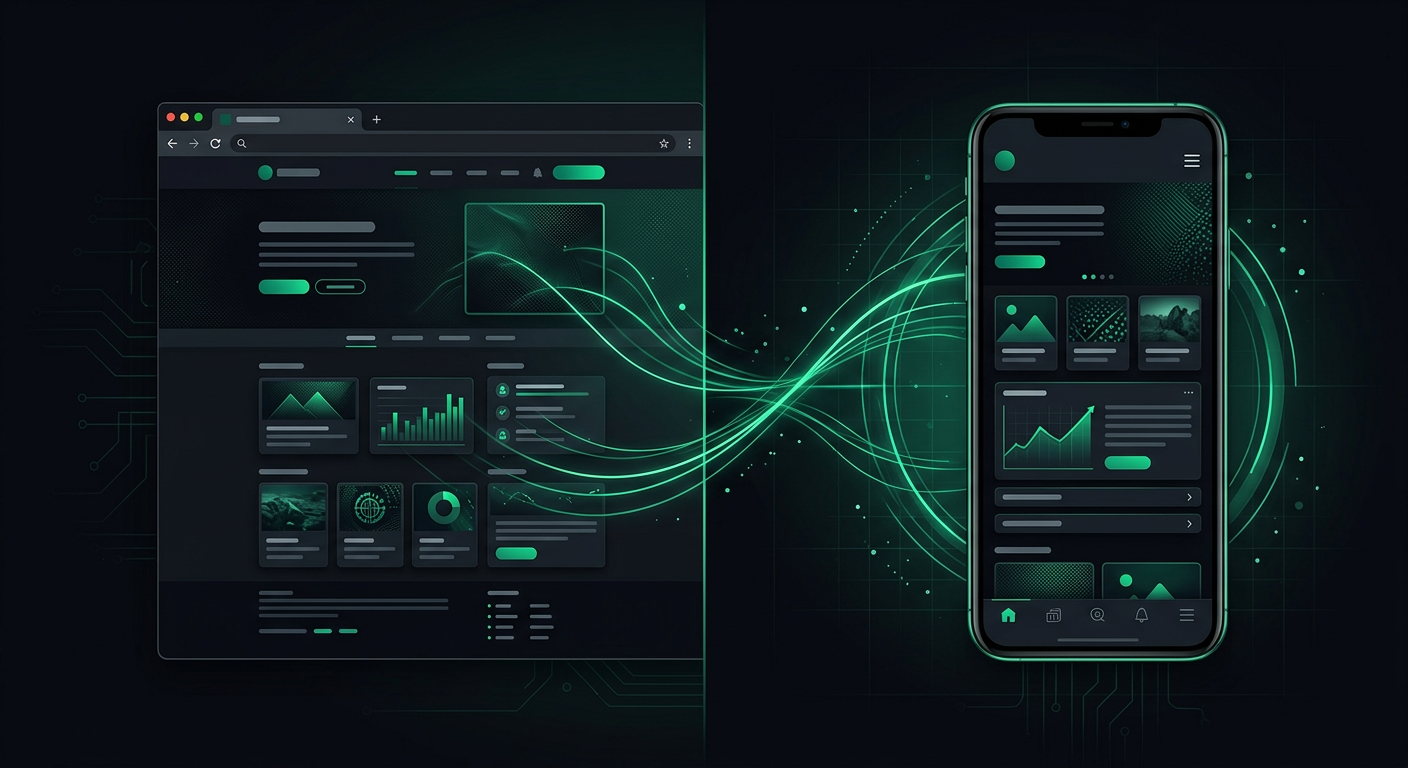
"We need an app." I hear this from business owners at least twice a month. When I ask why, the answer is usually some variation of "because everyone has an app" or "our competitors have one." These are not good reasons to spend $50,000-$200,000 on mobile app development. But sometimes an app really is the right call — and a website would be leaving money on the table.
The honest answer is that most businesses need a website, many businesses think they need an app but do not, and some businesses genuinely need both. Let me help you figure out which category you fall into.
The Fundamental Difference (Beyond the Obvious)
Yes, a website lives in a browser and an app lives on your phone. But the real difference is about user behavior and business model.
Websites are for discovery and information. When someone is researching a product, comparing options, reading reviews, or looking for a business for the first time, they go to a website. Websites are accessible to everyone with an internet connection — no download required, no commitment from the user. They are the front door of your business.
Apps are for repeated engagement. When someone has already committed to your product or service and uses it regularly, an app provides a better experience. Apps are faster, they work offline, they send push notifications, they access device features like the camera and GPS, and they create a persistent presence on the user's home screen.
Here is the key insight that most business owners miss: an app does not help you acquire new customers. Almost nobody browses the App Store looking for a random local business. They find you through Google search, social media, word of mouth, or advertising — all of which lead to your website. The app is where you serve and retain customers after they have already chosen you.
This means that for most businesses, a website comes first, and an app is a growth investment you make after your customer base is established.
When a Mobile App Makes Sense
An app is worth the investment when your business model depends on one or more of these factors.
Repeat Daily or Weekly Usage
If your customers interact with your product multiple times a week, an app dramatically improves their experience. Opening an app takes one tap. Going to a website requires opening a browser, typing a URL or searching, and navigating to the right page. That friction might seem trivial, but it compounds over hundreds of sessions.
Examples: Fitness apps (daily workouts), food ordering (weekly orders from a favorite restaurant), banking (checking balances, making transfers), project management tools (daily task management), language learning (daily practice).
If your typical customer uses your service once a month or less — say, booking a quarterly cleaning service or ordering new business cards — an app is overkill. They will use it twice, forget about it, and delete it when their phone runs out of storage.
Offline Functionality
If your users need to access content or features without an internet connection, a native app is the answer. Websites can cache some data with service workers, but the experience is limited compared to a properly built offline-capable app.
Examples: Field service apps where technicians work in areas with poor cell reception, navigation apps for hikers, educational apps used on flights, restaurant POS systems that need to keep taking orders if the Wi-Fi goes down.
Device Hardware Access
If your product needs deep integration with phone hardware — camera for scanning, GPS for real-time tracking, Bluetooth for connecting to devices, NFC for contactless payments — a native app provides reliable access to these features. Websites can access some device features through browser APIs, but the support is inconsistent across devices and the experience is often clunky.
Examples: QR code scanning apps, fitness trackers that connect to wearables, augmented reality features, apps that interact with IoT devices.
Push Notifications That Drive Revenue
Push notifications are the most powerful re-engagement tool available on mobile — when used correctly. If your business model benefits from time-sensitive communication that drives immediate action, push notifications through an app can directly impact revenue.
Examples: Flash sale announcements from e-commerce stores, order status updates for food delivery, appointment reminders for healthcare providers, real-time alerts for financial services.
A caveat: push notifications are a double-edged sword. Send too many or send irrelevant ones, and users disable them (or worse, uninstall your app entirely). The businesses that get the most value from push notifications are the ones that send fewer, more relevant messages.
Brand Presence and Loyalty
Having an icon on someone's home screen is marketing real estate. Every time they unlock their phone, they see your brand. For businesses with loyalty programs — coffee shops, restaurants, retail stores — an app provides a natural home for punch cards, reward tracking, and personalized offers.
Examples: Starbucks (order ahead + loyalty rewards), Sephora (loyalty program + product scanning), airline apps (boarding passes + frequent flyer status).
When a Website Is Enough
For the majority of businesses I work with, a well-built website handles everything they need. Here is why.
Your Primary Need Is Discovery
If the main challenge your business faces is getting found by potential customers, a website with good SEO is your most effective tool. People search Google for solutions to their problems. They do not search the App Store. A website lets you rank for relevant search terms and capture customers at the moment they are looking for what you offer.
No app in the world will help you rank for "best wedding photographer in Chicago." A well-optimized website will.
Your Customers Interact Infrequently
If the average customer uses your service a handful of times per year — booking a vacation rental, hiring a contractor, purchasing a specialty product — they are not going to download and maintain an app for that. A smooth mobile website experience is exactly right for occasional interactions.
Think about your own behavior. How many apps do you actually use every week? Probably 10-15. How many websites do you visit? Probably dozens. Most businesses fall into the "website visit" category of customer interaction, not the "daily app usage" category.
You Need to Get to Market Quickly
A professional website can be built and launched in 2-6 weeks. A quality mobile app takes 3-6 months for a basic version and 6-12 months for something feature-rich. If you need a digital presence now — because you are launching a business, entering a new market, or responding to a competitive threat — a website gets you there faster.
Your Budget Is Limited
This is the practical reality for most small and medium businesses. A custom mobile app for both iOS and Android will cost $40,000-$200,000+ and take months to develop. A professional website costs $3,000-$15,000 and is ready in weeks. If your marketing budget is limited, the website gives you significantly more value per dollar.
Even after launch, the ongoing costs are different. A website costs $50-$200/month to maintain. An app requires ongoing development to keep up with operating system updates, new device sizes, App Store policy changes, and user expectations. Budget $1,000-$5,000/month for app maintenance, even if you are not adding new features.
The Middle Ground: Progressive Web Apps
There is a technology that sits between traditional websites and native apps, and it is worth understanding: Progressive Web Apps (PWAs).
A PWA is a website built with modern web technologies that can behave like an app. Users can "install" it to their home screen from the browser (no App Store needed), it can work offline, it can send push notifications (on Android and recent iOS versions), and it loads fast even on slow connections.
The advantages of PWAs:
- One codebase serves both web and "app" users
- No App Store approval process or 15-30% commission on in-app purchases
- Updates deploy instantly (no waiting for users to update through the store)
- Fraction of the development cost of native apps
- Accessible to anyone with a browser — no download barrier
The limitations of PWAs:
- iOS support for PWA features is still behind Android (Apple has historically been slow to adopt web standards that compete with native apps)
- Limited access to some device features (Bluetooth, NFC, advanced camera controls)
- No presence in the App Store, which some users see as a trust signal
- Push notification support on iOS was only added in 2023 and still has restrictions
PWAs make sense when: You want app-like features (offline access, home screen presence, push notifications) but cannot justify the cost and timeline of native development. They are an excellent middle ground for restaurants offering online ordering, media companies with frequent readers, or service businesses with booking systems.
Companies like Starbucks, Pinterest, and Twitter have all shipped PWAs alongside their native apps, finding that PWAs reach users who would never download a native app.
The Real Cost Comparison
Let me lay out realistic numbers so you can plan properly.
Website Costs
| Item | One-Time | Monthly |
|---|---|---|
| Design and development | $3,000-$15,000 | - |
| Hosting | - | $10-$50 |
| Domain | - | ~$1.50 (paid annually) |
| SSL certificate | - | Free (Let's Encrypt) |
| Content updates | - | $0-$300 |
| Total first year | $3,200-$19,200 |
Native App Costs (iOS + Android)
| Item | One-Time | Monthly |
|---|---|---|
| Design | $5,000-$20,000 | - |
| Development | $40,000-$150,000 | - |
| App Store fees | $100 (Apple) + $25 (Google) | - |
| Backend infrastructure | - | $100-$1,000 |
| Maintenance and updates | - | $1,000-$5,000 |
| Total first year | $58,000-$242,000 |
PWA Costs
| Item | One-Time | Monthly |
|---|---|---|
| Design and development | $8,000-$30,000 | - |
| Hosting | - | $20-$100 |
| Maintenance | - | $200-$1,000 |
| Total first year | $10,600-$43,200 |
These are ranges, and your specific project could fall above or below them. But they illustrate the order-of-magnitude difference between the options. A native app is roughly 5-10x the investment of a website.
The "Do I Really Need an App?" Test
Before you commit to building an app, run your business through these five questions.
Question 1: Will the average user open this app at least once a week? If the answer is no, they will not keep it installed. Apps that sit unused on home screens eventually get deleted. If your customers interact with you monthly or less, a website is the right choice.
Question 2: Does the app need to do something a mobile website cannot? Be specific. "We need push notifications" is valid. "We need a nice mobile experience" is not — that is what responsive web design is for. If every feature you are imagining could work in a mobile browser, you do not need an app.
Question 3: Are your customers willing to download an app? App downloads are not free actions. Users evaluate whether your app is worth the storage space, the permissions you will request, and the mental overhead of maintaining another app. Unless your service is something they use frequently, the download barrier will kill your adoption rate.
Consider this: the average smartphone user downloads zero new apps per month. Zero. The apps people use are ones they already have. Getting someone to download your app is a marketing challenge as difficult as getting them to your website in the first place.
Question 4: Can you afford the ongoing investment? Building an app is not a one-time expense. Apple and Google release new operating system versions annually, and your app needs to stay compatible. New phone sizes and form factors come out regularly. Security patches and bug fixes are ongoing. If you cannot commit to $1,000-$5,000/month in ongoing maintenance, your app will degrade over time.
Question 5: Do you have a customer base large enough to justify the cost? If you have 200 customers and the app will cost $80,000 to build, you are spending $400 per customer on an app that some of them will not even download. That math does not work for most small businesses. If you have 20,000 customers who interact with you weekly, an app that improves their experience and increases retention is a sound investment.
Real Business Examples
Let me share some scenarios I have encountered that illustrate how this decision plays out in practice.
The restaurant with 3 locations wanted an app for online ordering and a loyalty program. After analyzing their customer base (about 5,000 regular customers across all locations), we determined that a PWA was the right call. It handles online ordering, shows the menu, allows table reservations, and has a simple loyalty point tracker — all without requiring a download. Monthly active "app" users went from zero (they had no digital ordering before) to about 1,200, and the development cost was roughly one-fifth of what a native app would have been.
The fitness studio chain genuinely needed a native app. Their customers attend classes 3-5 times per week, need to book slots in advance, want push notification reminders, and track their workout history over time. The high-frequency usage pattern justified the investment. The app became central to the customer experience — class booking, progress tracking, push reminders for upcoming sessions, and integration with Apple Health and Google Fit.
The B2B consulting firm was convinced they needed an app for their client portal. After working through the five questions above, it became clear that their clients accessed the portal 2-3 times per month to check project status and download reports. A responsive website with a clean login experience was exactly right. They saved approximately $100,000 and launched in 6 weeks instead of 6 months.
The local grocery delivery service initially built a website for ordering. As their customer base grew past 10,000 regular users and repeat orders became the primary revenue driver, they added a native app. The app offered one-tap reordering of previous baskets, push notifications for delivery windows, and a smoother checkout experience. But the website remained their primary discovery and first-order channel — about 70% of first-time orders still come through the website.
The Phased Approach: Starting With a Website and Growing Into an App
For most businesses, the smartest approach is sequential, not simultaneous.
Phase 1: Launch a mobile-optimized website. Establish your online presence, start capturing search traffic, and serve your customers with a smooth mobile web experience. This is your foundation. Budget: $3,000-$15,000. Timeline: 3-6 weeks.
Phase 2: Add PWA features if needed. Once you have an established user base, add offline capability, home screen installation, and push notifications through PWA technology. This extends your website into app-like territory without the cost of native development. Budget: $5,000-$15,000 on top of your existing site. Timeline: 2-4 weeks.
Phase 3: Build a native app when the data justifies it. Once you have evidence — actual usage data, not assumptions — that your customers want and would use a native app, invest in building one. By this point, you have validated your business model, understand your users, and can build the right app, not a guess. Budget: $40,000-$150,000. Timeline: 3-6 months.
The beauty of this approach is that each phase gives you real data to inform the next decision. You are not betting $100,000 on an assumption about user behavior. You are investing incrementally based on evidence.
Making the Decision
The website vs. app decision is ultimately a business decision, not a technology decision. It comes down to three factors: how frequently your customers engage with you, what they need to do when they engage, and how much you can invest relative to the return.
If you are early-stage, choose the website. It gets you to market faster, costs less, reaches more people, and provides the foundation for everything that comes later.
If you have an established customer base with high-frequency engagement patterns, the app becomes a retention and experience tool that is worth the investment.
If you are somewhere in between, consider a PWA as a middle ground that gives you app-like features at website-like costs.
And regardless of where you land, remember this: your digital presence should serve your customers, not your ego. The best technology choice is the one your customers will actually use — not the one that sounds most impressive when you describe it at a networking event.
Danil Ulmashev
Full Stack Developer
Need a senior developer to build something like this for your business?