Automating Social Media Posts: From Content Calendar to API
Building a social media automation pipeline — from content scheduling to API integration with major platforms.
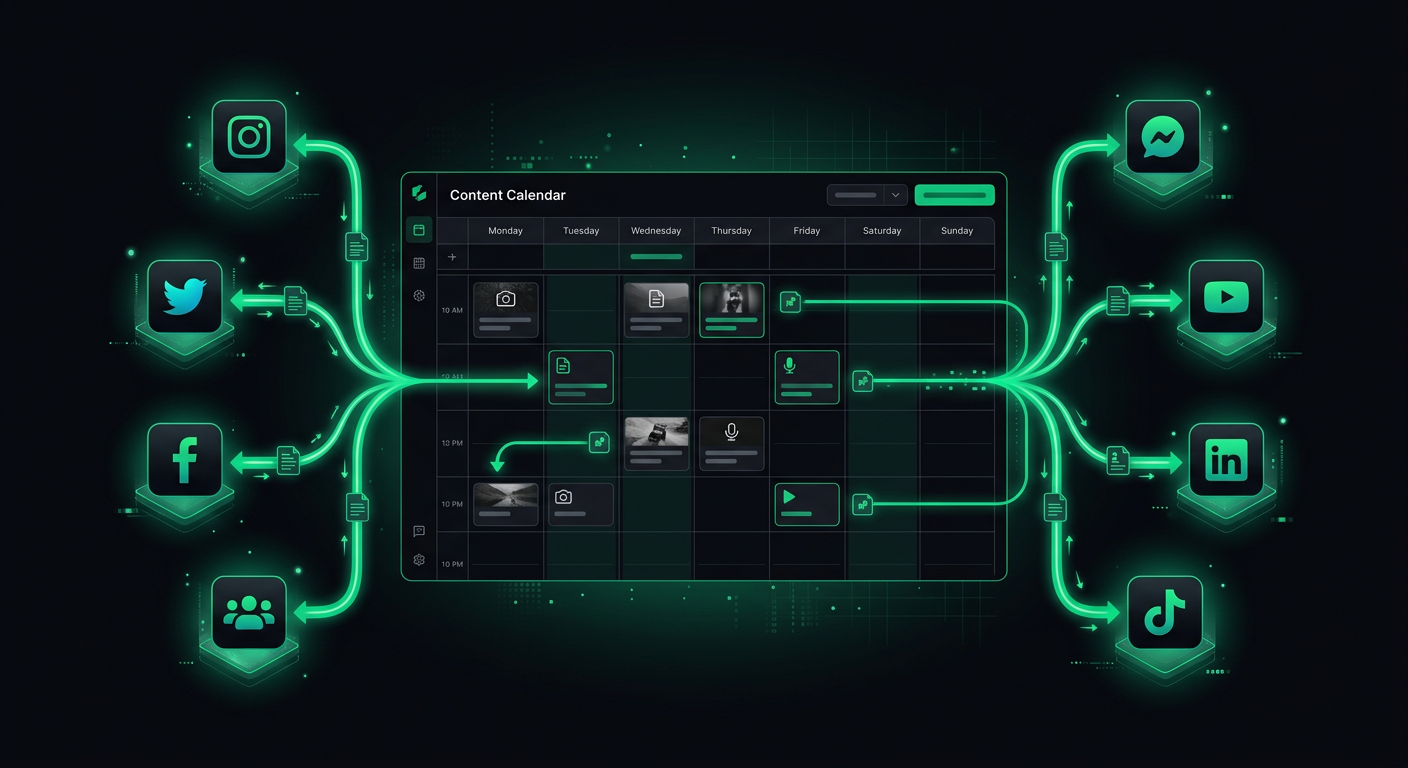
Managing social media for a product means posting consistently across platforms, each with its own API quirks, authentication flows, media requirements, and rate limits. After manually posting the same content to four platforms three times a week, I built an automation pipeline that handles scheduling, formatting, media processing, and posting — with an approval step so nothing goes out without human review. This post covers the architecture, the platform-specific gotchas, and the trade-offs between building custom and using existing tools.
Platform API Landscape
Each major platform has its own API ecosystem, and the developer experience varies dramatically. Here is the honest state of each as of early 2026.
Twitter/X API
The X API has been through significant changes since the platform's transition. The current API (v2) offers posting, media upload, and analytics endpoints. The free tier allows 1,500 posts per month and read access to your own posts, which is sufficient for most automation use cases.
The authentication model uses OAuth 2.0 with PKCE for user-context actions (posting on behalf of a user) and OAuth 2.0 App-Only for read operations. The API is reasonably well-documented and the developer portal provides clear rate limit information.
import { TwitterApi } from 'twitter-api-v2';

const client = new TwitterApi({
  appKey: process.env.TWITTER_API_KEY!,
  appSecret: process.env.TWITTER_API_SECRET!,
  accessToken: process.env.TWITTER_ACCESS_TOKEN!,
  accessSecret: process.env.TWITTER_ACCESS_SECRET!,
});

async function postTweet(text: string, mediaIds?: string[]): Promise<string> {
  const tweet = await client.v2.tweet({
    text,
    ...(mediaIds && { media: { media_ids: mediaIds } }),
  });
  return tweet.data.id;
}

async function uploadMedia(filePath: string): Promise<string> {
  const mediaId = await client.v1.uploadMedia(filePath);
  return mediaId;
}
Key limitations: Posts have a 280-character limit (longer for premium users). Image uploads support JPEG, PNG, GIF, and WEBP up to 5MB. Video uploads support MP4 up to 512MB but require chunked upload for files over 15MB. Threads require creating multiple posts with reply settings, which adds complexity.
Instagram Graph API
Instagram's API is part of the Meta ecosystem and requires a Facebook Business Page linked to an Instagram Professional Account. The setup process is notoriously convoluted — you need a Meta App, Business verification (for certain features), and the correct combination of permissions.
The posting flow is two-step: first create a media container, then publish it.
async function postToInstagram(
  igUserId: string,
  imageUrl: string,
  caption: string,
  accessToken: string
): Promise<string> {
  // Step 1: Create media container
  const containerResponse = await fetch(
    `https://graph.facebook.com/v19.0/${igUserId}/media`,
    {
      method: 'POST',
      headers: { 'Content-Type': 'application/json' },
      body: JSON.stringify({
        image_url: imageUrl, // Must be a publicly accessible URL
        caption,
        access_token: accessToken,
      }),
    }
  );
  const container = await containerResponse.json();

  // Step 2: Publish the container
  const publishResponse = await fetch(
    `https://graph.facebook.com/v19.0/${igUserId}/media_publish`,
    {
      method: 'POST',
      headers: { 'Content-Type': 'application/json' },
      body: JSON.stringify({
        creation_id: container.id,
        access_token: accessToken,
      }),
    }
  );
  const result = await publishResponse.json();
  return result.id;
}
Key gotchas:
- Images must be hosted at a publicly accessible URL. You cannot upload binary data directly. This means you need to host media on S3 or a CDN before posting.
- Carousel posts (multiple images) require creating individual containers for each image, then a carousel container that references them.
- Reels (video) have additional requirements: 9:16 aspect ratio, between 3 and 90 seconds, and the video must be fully processed before publishing.
- Access tokens expire. Long-lived tokens last 60 days and need periodic refresh.
LinkedIn API
LinkedIn's API for posting content uses the "Community Management API" (formerly the "Share API"). Authentication uses OAuth 2.0 with the w_member_social scope for personal profiles or w_organization_social for company pages.
async function postToLinkedIn(
  authorUrn: string, // "urn:li:person:xxx" or "urn:li:organization:xxx"
  text: string,
  accessToken: string
): Promise<string> {
  const response = await fetch('https://api.linkedin.com/v2/posts', {
    method: 'POST',
    headers: {
      Authorization: `Bearer ${accessToken}`,
      'Content-Type': 'application/json',
      'X-Restli-Protocol-Version': '2.0.0',
      'LinkedIn-Version': '202401',
    },
    body: JSON.stringify({
      author: authorUrn,
      commentary: text,
      visibility: 'PUBLIC',
      distribution: {
        feedDistribution: 'MAIN_FEED',
        targetEntities: [],
        thirdPartyDistributionChannels: [],
      },
      lifecycleState: 'PUBLISHED',
    }),
  });

  const postId = response.headers.get('x-restli-id');
  return postId || '';
}
Key limitations: LinkedIn's API documentation is scattered across multiple versions and naming conventions. The rate limit is 100 API calls per day per user per application for most endpoints, which is generous for posting but tight if you are also pulling analytics. Image uploads require a separate upload flow with a registered upload request.
TikTok Content Posting API
TikTok's API for content publishing is relatively new and more restricted than other platforms. You need to apply for access to the Content Posting API specifically, and approval can take weeks.
The posting flow involves initializing a publish, uploading the video, and then confirming publication:
async function postToTikTok(
  videoUrl: string,
  caption: string,
  accessToken: string
): Promise<string> {
  // Initialize the publish
  const initResponse = await fetch(
    'https://open.tiktokapis.com/v2/post/publish/video/init/',
    {
      method: 'POST',
      headers: {
        Authorization: `Bearer ${accessToken}`,
        'Content-Type': 'application/json',
      },
      body: JSON.stringify({
        post_info: {
          title: caption,
          privacy_level: 'SELF_ONLY', // Start as private, change after review
          disable_duet: false,
          disable_comment: false,
          disable_stitch: false,
        },
        source_info: {
          source: 'PULL_FROM_URL',
          video_url: videoUrl,
        },
      }),
    }
  );

  const result = await initResponse.json();
  return result.data.publish_id;
}
Key gotchas: TikTok requires all automated posts to be disclosed as such — there are specific API flags for this. Videos must meet TikTok's content guidelines and format requirements. The API has strict daily posting limits per user account. Most critically, TikTok's API ecosystem changes frequently, so check current documentation before implementing.
Authentication Flows
All four platforms use OAuth 2.0, but the implementation details differ enough to require platform-specific handling.
The OAuth Dance
The general flow is:
- Redirect user to the platform's authorization URL with your app's
client_idand requestedscopes. - User grants permission. Platform redirects back to your
redirect_uriwith an authorizationcode. - Exchange the
codefor anaccess_token(and usually arefresh_token). - Use the
access_tokenfor API calls. Refresh it when it expires.
// Generic OAuth handler
interface OAuthConfig {
  clientId: string;
  clientSecret: string;
  redirectUri: string;
  authorizationUrl: string;
  tokenUrl: string;
  scopes: string[];
}

async function exchangeCodeForToken(
  config: OAuthConfig,
  code: string
): Promise<{ accessToken: string; refreshToken: string; expiresIn: number }> {
  const response = await fetch(config.tokenUrl, {
    method: 'POST',
    headers: { 'Content-Type': 'application/x-www-form-urlencoded' },
    body: new URLSearchParams({
      grant_type: 'authorization_code',
      code,
      redirect_uri: config.redirectUri,
      client_id: config.clientId,
      client_secret: config.clientSecret,
    }),
  });

  const data = await response.json();
  return {
    accessToken: data.access_token,
    refreshToken: data.refresh_token,
    expiresIn: data.expires_in,
  };
}
Token Management
Tokens expire. Instagram tokens last 60 days. LinkedIn tokens last 60 days. Twitter tokens last until revoked (for OAuth 1.0a) or are short-lived with refresh tokens (for OAuth 2.0). TikTok tokens last 24 hours with a refresh token valid for 365 days.
You need a token refresh system:
interface StoredToken {
  platform: string;
  accessToken: string;
  refreshToken: string;
  expiresAt: Date;
}

async function getValidToken(platform: string): Promise<string> {
  const stored = await db.tokens.findUnique({ where: { platform } });
  if (!stored) throw new Error(`No token stored for ${platform}`);

  // Refresh if expiring within 5 minutes
  if (stored.expiresAt < new Date(Date.now() + 5 * 60 * 1000)) {
    const refreshed = await refreshToken(platform, stored.refreshToken);
    await db.tokens.update({
      where: { platform },
      data: {
        accessToken: refreshed.accessToken,
        refreshToken: refreshed.refreshToken || stored.refreshToken,
        expiresAt: new Date(Date.now() + refreshed.expiresIn * 1000),
      },
    });
    return refreshed.accessToken;
  }

  return stored.accessToken;
}
Content Scheduling Architecture
The scheduling system is the core of the automation pipeline. It needs to handle time zones, platform-specific formatting, media processing, and failure recovery.
Data Model
interface ScheduledPost {
  id: string;
  content: {
    text: string;
    media?: MediaAttachment[];
    platformOverrides?: Record<string, { text?: string }>;
  };
  platforms: Platform[];
  scheduledAt: Date;  // UTC
  timezone: string;   // IANA timezone for display
  status: 'draft' | 'approved' | 'scheduled' | 'publishing' | 'published' | 'failed';
  results: Record<string, PostResult>;
  retryCount: number;
  createdBy: string;
  approvedBy?: string;
  approvedAt?: Date;
}

interface MediaAttachment {
  originalUrl: string;
  processedUrls: Record<string, string>; // Platform-specific processed versions
  type: 'image' | 'video';
  altText?: string;
}

interface PostResult {
  platform: string;
  postId?: string;
  url?: string;
  error?: string;
  publishedAt?: Date;
}
The platformOverrides Pattern
Each platform has different character limits, hashtag conventions, and formatting norms. Rather than creating entirely separate posts, I use a base text with platform-specific overrides:
const post: ScheduledPost = {
  id: 'post-1',
  content: {
    text: 'Excited to announce our new feature: real-time order tracking. Customers can now see exactly where their delivery is. #product #launch',
    platformOverrides: {
      twitter: {
        text: 'Just shipped: real-time order tracking. Your customers can now watch their delivery in real-time. #buildinpublic',
      },
      linkedin: {
        text: 'Excited to announce our latest feature: real-time order tracking.\n\nThis was one of the most requested features from our restaurant partners. Customers can now see exactly where their delivery is, reducing "where is my food?" support tickets by an estimated 40%.\n\nBuilt with WebSockets and a lightweight location service. Happy to share the technical architecture with anyone interested.\n\n#productdevelopment #startups #foodtech',
      },
    },
  },
  platforms: ['twitter', 'instagram', 'linkedin'],
  scheduledAt: new Date('2026-03-15T14:00:00Z'),
  timezone: 'America/New_York',
  status: 'approved',
  results: {},
  retryCount: 0,
  createdBy: 'user-1',
};
Twitter gets a concise version. LinkedIn gets a longer, more professional version. Instagram uses the base text as a caption. This approach respects platform norms without maintaining completely separate content calendars.
Media Handling
Media processing is the most error-prone part of the pipeline. Each platform has different requirements for image dimensions, file sizes, formats, and aspect ratios.
Processing Pipeline
interface MediaRequirements {
  maxWidth: number;
  maxHeight: number;
  maxFileSize: number; // bytes
  supportedFormats: string[];
  aspectRatios?: { min: number; max: number };
}

const platformRequirements: Record<string, MediaRequirements> = {
  twitter: {
    maxWidth: 4096,
    maxHeight: 4096,
    maxFileSize: 5 * 1024 * 1024, // 5MB
    supportedFormats: ['jpeg', 'png', 'gif', 'webp'],
  },
  instagram: {
    maxWidth: 1440,
    maxHeight: 1440,
    maxFileSize: 8 * 1024 * 1024,
    supportedFormats: ['jpeg', 'png'],
    aspectRatios: { min: 4 / 5, max: 1.91 },
  },
  linkedin: {
    maxWidth: 4096,
    maxHeight: 4096,
    maxFileSize: 10 * 1024 * 1024,
    supportedFormats: ['jpeg', 'png', 'gif'],
  },
};

async function processMediaForPlatform(
  originalUrl: string,
  platform: string
): Promise<string> {
  const requirements = platformRequirements[platform];
  const image = await sharp(await downloadFile(originalUrl));
  const metadata = await image.metadata();

  let processed = image;

  // Resize if exceeding max dimensions
  if (
    (metadata.width && metadata.width > requirements.maxWidth) ||
    (metadata.height && metadata.height > requirements.maxHeight)
  ) {
    processed = processed.resize(requirements.maxWidth, requirements.maxHeight, {
      fit: 'inside',
      withoutEnlargement: true,
    });
  }

  // Enforce aspect ratio for Instagram
  if (requirements.aspectRatios && metadata.width && metadata.height) {
    const currentRatio = metadata.width / metadata.height;
    if (
      currentRatio < requirements.aspectRatios.min ||
      currentRatio > requirements.aspectRatios.max
    ) {
      // Crop to acceptable ratio
      const targetRatio = Math.max(
        requirements.aspectRatios.min,
        Math.min(currentRatio, requirements.aspectRatios.max)
      );
      const newWidth = Math.round(metadata.height * targetRatio);
      processed = processed.resize(newWidth, metadata.height, { fit: 'cover' });
    }
  }

  // Convert to supported format
  const format = requirements.supportedFormats.includes('webp') ? 'webp' : 'jpeg';
  const buffer = await processed.toFormat(format, { quality: 85 }).toBuffer();

  // Upload processed image and return URL
  const processedUrl = await uploadToStorage(buffer, `processed/${platform}/${Date.now()}.${format}`);
  return processedUrl;
}
Using Sharp for image processing keeps the pipeline fast and handles edge cases like EXIF rotation, color profile conversion, and format compatibility. For video processing, FFmpeg handles transcoding, but video processing is significantly more complex and resource-intensive — I typically offload it to a dedicated worker or cloud function.
Rate Limits and Retry Logic
Every platform enforces rate limits, and hitting them ungracefully causes failed posts and potentially temporary API bans.
Rate Limit Tracking
interface RateLimitState {
  platform: string;
  remaining: number;
  resetAt: Date;
  limit: number;
}

class RateLimiter {
  private limits: Map<string, RateLimitState> = new Map();

  updateFromHeaders(platform: string, headers: Headers): void {
    const remaining = parseInt(headers.get('x-rate-limit-remaining') || '100');
    const resetTimestamp = parseInt(headers.get('x-rate-limit-reset') || '0');

    this.limits.set(platform, {
      platform,
      remaining,
      resetAt: new Date(resetTimestamp * 1000),
      limit: parseInt(headers.get('x-rate-limit-limit') || '100'),
    });
  }

  async waitIfNeeded(platform: string): Promise<void> {
    const state = this.limits.get(platform);
    if (!state) return;

    if (state.remaining <= 1 && state.resetAt > new Date()) {
      const waitMs = state.resetAt.getTime() - Date.now() + 1000; // 1s buffer
      console.log(`Rate limited on ${platform}. Waiting ${waitMs}ms`);
      await new Promise((resolve) => setTimeout(resolve, waitMs));
    }
  }
}
Retry with Exponential Backoff
Not all failures are permanent. Network timeouts, temporary server errors, and rate limits are all retryable. Database errors and authentication failures are not.
async function publishWithRetry(
  post: ScheduledPost,
  platform: string,
  maxRetries: number = 3
): Promise<PostResult> {
  for (let attempt = 0; attempt <= maxRetries; attempt++) {
    try {
      await rateLimiter.waitIfNeeded(platform);
      const result = await publishToPlatform(post, platform);
      return { platform, postId: result.id, url: result.url, publishedAt: new Date() };
    } catch (error) {
      const isRetryable =
        error instanceof RateLimitError ||
        error instanceof NetworkError ||
        (error instanceof ApiError && error.statusCode >= 500);

      if (!isRetryable || attempt === maxRetries) {
        return {
          platform,
          error: error instanceof Error ? error.message : 'Unknown error',
        };
      }

      const backoffMs = Math.min(1000 * Math.pow(2, attempt), 30000);
      const jitter = Math.random() * 1000;
      await new Promise((resolve) => setTimeout(resolve, backoffMs + jitter));
    }
  }

  return { platform, error: 'Max retries exceeded' };
}
The jitter is important — without it, multiple retrying clients synchronized on the same backoff schedule create "thundering herd" problems where they all retry simultaneously.
Content Approval Workflow
Automated posting without human review is risky. A formatting error, a tone-deaf post during a crisis, or an incorrect link can cause real damage. I include a mandatory approval step in the pipeline.
The Approval Flow
Content Created → Status: DRAFT
       │
       ▼
Preview Generated → Reviewer notified (Slack/email)
       │
       ▼
Reviewer Approves → Status: APPROVED → Scheduled for posting
       │
   or Rejects → Status: DRAFT (with feedback) → Back to creator
The preview step is important — it shows the reviewer exactly what will be posted on each platform, with character counts, media previews, and link previews. This catches formatting issues that are not obvious in the content editor.
async function generatePreview(post: ScheduledPost): Promise<PlatformPreview[]> {
  return post.platforms.map((platform) => {
    const text =
      post.content.platformOverrides?.[platform]?.text || post.content.text;

    return {
      platform,
      text,
      characterCount: text.length,
      characterLimit: getCharacterLimit(platform),
      isOverLimit: text.length > getCharacterLimit(platform),
      mediaPreview: post.content.media?.map((m) => ({
        url: m.processedUrls[platform] || m.originalUrl,
        type: m.type,
        altText: m.altText,
      })),
      estimatedReach: getEstimatedReach(platform),
    };
  });
}

function getCharacterLimit(platform: string): number {
  const limits: Record<string, number> = {
    twitter: 280,
    instagram: 2200,
    linkedin: 3000,
    tiktok: 2200,
  };
  return limits[platform] || 2200;
}
Analytics Collection
After posting, collecting engagement data helps optimize future content. Each platform provides analytics through their API, but the data shape and availability varies.
interface PostAnalytics {
  postId: string;
  platform: string;
  collectedAt: Date;
  impressions: number;
  engagements: number;
  clicks: number;
  shares: number;
  comments: number;
  likes: number;
  engagementRate: number;
}

async function collectAnalytics(postResult: PostResult): Promise<PostAnalytics | null> {
  if (!postResult.postId) return null;

  switch (postResult.platform) {
    case 'twitter':
      return collectTwitterAnalytics(postResult.postId);
    case 'linkedin':
      return collectLinkedInAnalytics(postResult.postId);
    case 'instagram':
      return collectInstagramAnalytics(postResult.postId);
    default:
      return null;
  }
}
I collect analytics at 1 hour, 24 hours, and 7 days after posting. This captures immediate engagement, daily performance, and long-tail reach. The data feeds into a simple dashboard that shows which content types, posting times, and platforms drive the most engagement.
Build vs Buy: The Honest Assessment
Before building a custom system, consider whether existing tools meet your needs.
When to Use Existing Tools
Buffer ($5-100/month) handles scheduling, multi-platform posting, and basic analytics. It supports Twitter, Instagram, LinkedIn, Facebook, Pinterest, and TikTok. The API is solid for programmatic scheduling. For most small teams, Buffer covers 90% of needs.
Hootsuite ($99+/month) adds team collaboration, content approval workflows, and deeper analytics. Better for larger teams with multiple stakeholders.
Typefully ($12-29/month) specializes in Twitter/X with thread support, draft collaboration, and audience analytics. If Twitter is your primary platform, it is excellent.
Later ($16.67+/month) is strong for visual-first platforms (Instagram, Pinterest, TikTok) with media library management and visual calendar planning.
When to Build Custom
Building custom makes sense when:
- You need deep integration with internal systems (CMS, product database, CRM)
- Your content generation is partially automated (AI-generated drafts, templated posts from product events)
- You need custom approval workflows that existing tools do not support
- You post at a volume where SaaS pricing becomes expensive (50+ posts/day across accounts)
- Platform API features you need are not exposed by third-party tools
The Hybrid Approach
Use a scheduling tool (Buffer, Hootsuite) for manual content and build custom automation only for programmatic posts. Many scheduling tools have APIs that let you create posts programmatically while using their dashboard for review and approval.
// Using Buffer's API for scheduling
async function scheduleViaBuffer(
  profileIds: string[],
  text: string,
  mediaUrls: string[],
  scheduledAt: Date
): Promise<string> {
  const response = await fetch('https://api.bufferapp.com/1/updates/create.json', {
    method: 'POST',
    headers: { 'Content-Type': 'application/x-www-form-urlencoded' },
    body: new URLSearchParams({
      access_token: process.env.BUFFER_ACCESS_TOKEN!,
      text,
      'profile_ids[]': profileIds.join(','),
      scheduled_at: scheduledAt.toISOString(),
      ...(mediaUrls.length && { 'media[photo]': mediaUrls[0] }),
    }),
  });

  const result = await response.json();
  return result.updates[0].id;
}
This gives you the reliability and UI of an established tool while keeping the programmatic flexibility of custom code.
Webhook Notifications
When a post is published, fails, or receives significant engagement, the system should notify the team. I use webhooks to push events to Slack.
async function notifySlack(event: PostEvent): Promise<void> {
  const color = event.type === 'published' ? '#36a64f' : '#ff0000';
  const title =
    event.type === 'published'
      ? `Posted to ${event.platform}`
      : `Failed to post to ${event.platform}`;

  await fetch(process.env.SLACK_WEBHOOK_URL!, {
    method: 'POST',
    headers: { 'Content-Type': 'application/json' },
    body: JSON.stringify({
      attachments: [
        {
          color,
          title,
          text: event.type === 'published'
            ? `"${event.text.substring(0, 100)}..." — ${event.url}`
            : `Error: ${event.error}`,
          fields: [
            { title: 'Platform', value: event.platform, short: true },
            { title: 'Time', value: new Date().toLocaleString(), short: true },
          ],
        },
      ],
    }),
  });
}
Error Handling Patterns
Social media APIs are unreliable. Servers go down, rate limits change, media processing fails. The system needs to handle failures gracefully without losing content.
The Dead Letter Queue
Posts that fail after all retries go to a dead letter queue for manual review:
async function handleFailedPost(post: ScheduledPost, platform: string, error: string): Promise<void> {
  // Update post status
  await db.scheduledPosts.update({
    where: { id: post.id },
    data: {
      status: 'failed',
      results: {
        ...post.results,
        [platform]: { platform, error },
      },
    },
  });

  // Add to dead letter queue
  await db.failedPosts.create({
    data: {
      postId: post.id,
      platform,
      error,
      originalContent: post.content,
      failedAt: new Date(),
      resolved: false,
    },
  });

  // Notify team
  await notifySlack({
    type: 'failed',
    platform,
    text: post.content.text,
    error,
  });
}
A dashboard shows all failed posts with retry buttons. Most failures are transient and succeed on manual retry. Persistent failures usually indicate token expiration or API changes that require code updates.
Partial Success Handling
A post targeting three platforms might succeed on two and fail on one. The system needs to track per-platform results independently rather than treating the entire post as failed:
async function publishToAllPlatforms(post: ScheduledPost): Promise<void> {
  const results = await Promise.allSettled(
    post.platforms.map((platform) => publishWithRetry(post, platform))
  );

  const postResults: Record<string, PostResult> = {};
  let hasFailure = false;

  results.forEach((result, index) => {
    const platform = post.platforms[index];
    if (result.status === 'fulfilled') {
      postResults[platform] = result.value;
      if (result.value.error) hasFailure = true;
    } else {
      postResults[platform] = { platform, error: result.reason.message };
      hasFailure = true;
    }
  });

  await db.scheduledPosts.update({
    where: { id: post.id },
    data: {
      status: hasFailure ? 'failed' : 'published',
      results: postResults,
    },
  });
}
Using Promise.allSettled instead of Promise.all ensures that a failure on one platform does not prevent posting to the others.
Putting It All Together
The complete automation pipeline looks like this:
- Content is created via a web dashboard or API (with optional AI-assisted drafting).
- Media is uploaded and processed for each target platform using Sharp.
- The post enters an approval queue where a reviewer sees platform-specific previews.
- On approval, the post is scheduled in the database with a UTC timestamp.
- A cron job (or scheduled cloud function) checks for posts due within the next minute.
- For each due post, the publisher authenticates with each platform, handles media uploads, and publishes.
- Results are recorded per-platform. Failures trigger retries with exponential backoff.
- Exhausted retries go to the dead letter queue with Slack notifications.
- Analytics are collected at 1h, 24h, and 7d intervals.
Is this over-engineered for a solo founder posting twice a week? Absolutely — use Buffer. But for a product with programmatic content needs, event-driven posts, or complex approval workflows, a custom pipeline pays for itself in consistency and control. The platform APIs are stable enough and the tooling is mature enough that the implementation is straightforward engineering rather than fighting poorly documented APIs. That was not the case even two years ago.
Danil Ulmashev
Full Stack Developer
Need a senior developer to build something like this for your business?