Automating Your Small Business: A Non-Technical Guide
Practical automation strategies for small businesses — from email sequences to invoicing, without needing to write a single line of code.
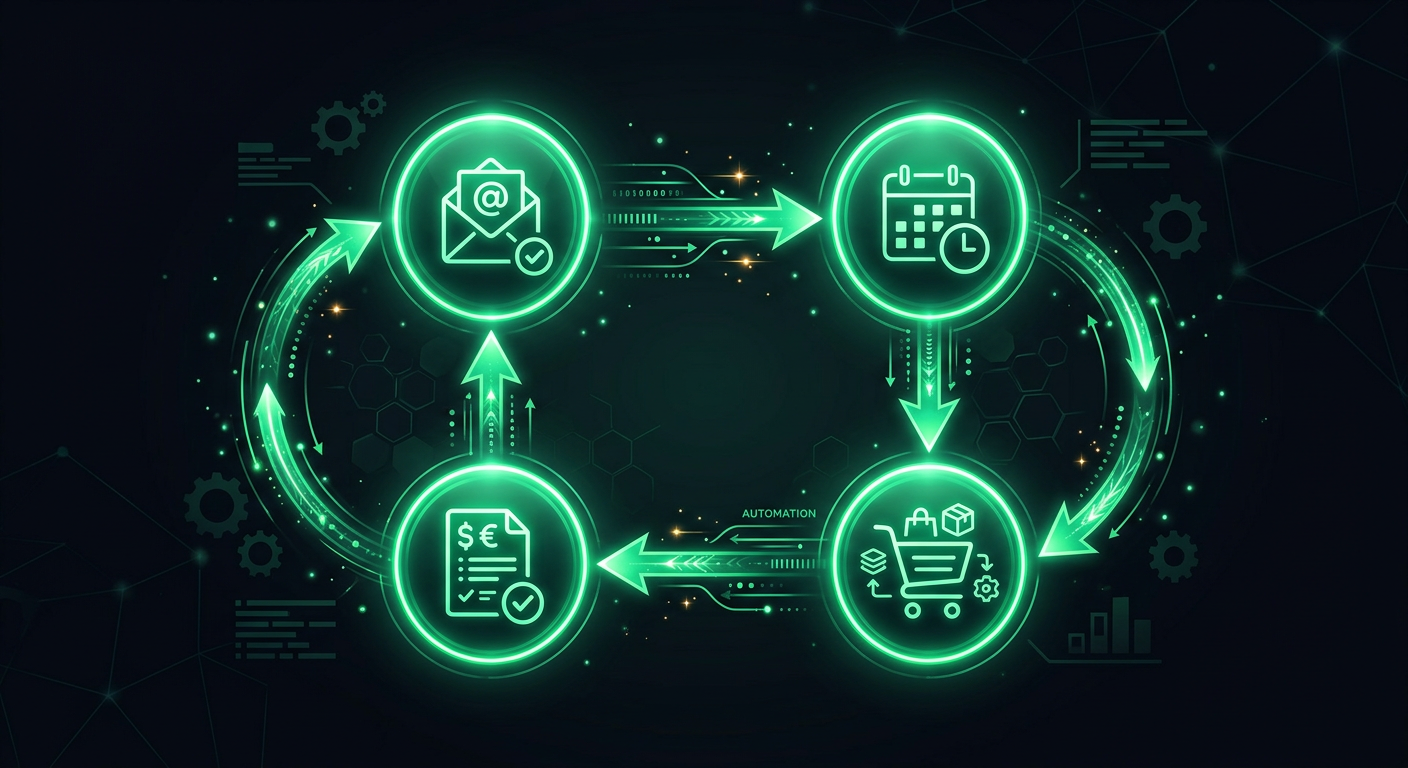
Every small business owner I have worked with shares the same frustration: too much time spent on repetitive tasks that feel like they should "just happen." Sending follow-up emails, creating invoices, updating spreadsheets, posting on social media — these are necessary tasks, but they eat hours that could be spent on strategy, client relationships, or simply going home on time. The good news is that most of these tasks can be automated today, without writing a single line of code, and often for less than the cost of a daily coffee.
What Can Actually Be Automated
Before diving into tools, it helps to understand what kinds of tasks are good candidates for automation. The best automation targets share three traits: they are repetitive, they follow a predictable pattern, and they do not require complex human judgment.
Email Communication
Email is the single biggest automation opportunity for most small businesses. Think about how many emails you send that follow a similar pattern. A new customer signs up — you send a welcome email. Someone fills out a contact form — you send an acknowledgment. A project hits a milestone — you send a status update. An invoice goes unpaid for 30 days — you send a reminder.
All of these can be automated. Tools like Mailchimp, ConvertKit, and ActiveCampaign let you set up email sequences that trigger based on specific events. A new subscriber gets a welcome series over five days. A customer who has not purchased in 60 days gets a re-engagement offer. A lead who downloads a guide gets a follow-up three days later asking if they have questions.
The key insight is that automated emails do not have to feel robotic. You write them once, in your own voice, and the system sends them at the right moment. Your customers get a timely, relevant message, and you did not have to remember to send it.
Invoicing and Payments
If you are still creating invoices manually in Word or Excel, you are leaving hours on the table every month. Modern invoicing tools like QuickBooks, Xero, and FreshBooks can generate invoices automatically based on triggers — a project is marked complete, a subscription renews, or a recurring billing date arrives.
Beyond just creating invoices, these tools handle the follow-up. They send payment reminders at intervals you define: a gentle nudge at 7 days overdue, a firmer reminder at 14 days, and a final notice at 30 days. They can also accept online payments through Stripe or Square, which means faster payment and no more chasing checks.
For businesses with recurring revenue — subscriptions, retainers, monthly services — the automation savings are enormous. Set it up once, and invoices go out, payments get collected, and your books stay current without you touching anything.
Scheduling and Appointments
The back-and-forth of scheduling meetings is one of the most universally hated business tasks. "Are you free Tuesday at 2?" "No, how about Wednesday at 10?" "That doesn't work either..." This can go on for five or six emails before a single meeting gets booked.
Calendly, Acuity Scheduling, and even Google Calendar's appointment slots eliminate this entirely. You set your availability, share a link, and clients book themselves into open slots. The system sends confirmation emails, reminder notifications before the meeting, and can even collect information you need ahead of time through intake forms.
For service businesses — salons, consultants, therapists, repair services — scheduling automation is transformative. I have seen businesses reclaim 5-10 hours per week just by eliminating manual scheduling.
Inventory Management
If you sell physical products, inventory tracking is critical but tedious. Tools like TradeGecko (now QuickBooks Commerce), Cin7, and even Shopify's built-in inventory system can automatically update stock levels across all your sales channels when a sale is made. They can send you alerts when items are running low and even generate purchase orders to restock.
The real value here is avoiding the two worst inventory outcomes: selling something you do not have (leading to angry customers and refunds) and ordering too much of something that sits on your shelves (tying up cash). Automated inventory tracking gives you real-time visibility without manual counting.
Social Media
Posting consistently on social media is important for visibility, but it is also a time sink that pulls you out of deep work. Tools like Buffer, Hootsuite, and Later let you batch your content creation — spend two hours on a Monday creating and scheduling posts for the entire week, then forget about it.
More advanced automation can repurpose content across platforms. A blog post automatically becomes a series of social media snippets. An Instagram post gets reformatted for LinkedIn. A customer review gets turned into a testimonial graphic. You are not creating content from scratch for each platform; you are letting automation adapt what you have already created.
The No-Code Automation Tools
Now let us talk about the tools that connect everything together. These are the platforms that let you create automated workflows — "when X happens, do Y" — without any programming knowledge.
Zapier
Zapier is the most popular automation platform for small businesses, and for good reason. It connects over 6,000 apps and uses a simple trigger-action model. When a new order comes in on Shopify (trigger), create an invoice in QuickBooks (action). When a form is submitted on your website (trigger), add the contact to your Mailchimp list and send a notification to your Slack channel (actions).
Zapier's free plan gives you 100 tasks per month with simple two-step automations. The Starter plan at $19.99/month bumps that to 750 tasks and lets you create multi-step workflows. For most small businesses, the Starter or Professional plan ($49/month for 2,000 tasks) covers everything you need.
The beauty of Zapier is that it requires zero technical knowledge. You pick your trigger app, pick your action app, map the fields ("put the customer's name here, put their email there"), and you are done. The whole setup takes 15-30 minutes for a typical workflow.
Make (formerly Integromat)
Make is Zapier's more powerful cousin. It uses a visual workflow builder where you drag and connect modules, which makes it easier to build complex automations with branching logic, loops, and data transformations. If Zapier is like connecting Lego blocks in a line, Make is like building with Lego in three dimensions.
Make tends to be more cost-effective for high-volume automations. Its free plan includes 1,000 operations per month, and the Core plan at $9/month gives you 10,000 operations. For businesses that need to move a lot of data around — syncing hundreds of orders per day, processing large email lists — Make often costs significantly less than Zapier for the same workload.
The trade-off is a slightly steeper learning curve. Make's visual builder is intuitive once you understand it, but the initial setup takes a bit more time compared to Zapier's straightforward trigger-action model.
n8n
n8n is the open-source alternative. You can host it yourself for free (if you have someone technical to set it up) or use their cloud service starting at $20/month. The advantage of n8n is unlimited workflows and no per-task pricing — you pay for the infrastructure, not the volume.
For businesses that run high-volume automations, this pricing model can save hundreds of dollars per month compared to Zapier or Make. However, n8n is best suited for businesses that have at least one technically-inclined person on their team, since the self-hosted version requires some server management.
CRM Automation
Your customer relationship management system is the hub of your business. It tracks who your customers are, what they have bought, where they are in your sales pipeline, and what interactions they have had with your business. Automating your CRM means no lead falls through the cracks.
Lead Follow-Up
The single most valuable CRM automation is immediate lead follow-up. Studies consistently show that responding to a new lead within five minutes makes you 21 times more likely to qualify that lead compared to waiting 30 minutes. No human can reliably respond to every inquiry within five minutes, but automation can.
When a lead fills out your contact form, automation can instantly send a personalized acknowledgment email, create a contact record in your CRM (HubSpot, Salesforce, or Pipedrive), notify the right salesperson via Slack or text message, and schedule a follow-up task for the next business day if no one has responded.
Pipeline Management
As deals move through your pipeline, automation handles the routine work. When a proposal is sent, schedule a follow-up reminder for three days later. When a deal is marked as won, trigger the onboarding sequence — send a welcome packet, create a project in your management tool, generate the first invoice. When a deal is lost, add the contact to a nurture email sequence for potential future re-engagement.
This kind of automation does not replace the human relationship — it supports it. Your salespeople still have the conversations and build the trust, but they never have to remember to send the follow-up email or create the onboarding documents. The system handles the process while they handle the people.
Email Marketing Automation
Email marketing remains one of the highest-ROI activities for small businesses, with an average return of $36 for every $1 spent. But that ROI depends on sending the right message to the right person at the right time — which is exactly what automation enables.
Welcome Sequences
When someone new joins your email list, they are at peak interest. A well-crafted welcome sequence (3-5 emails over 1-2 weeks) introduces your brand, shares your best content, and builds trust before you ever make an ask. This sequence runs automatically for every new subscriber, forever.
Behavioral Triggers
Modern email platforms can trigger messages based on what people do, not just who they are. A customer who browses your website but does not buy gets an abandoned browse email. Someone who adds items to their cart but does not check out gets a cart abandonment sequence (these recover 5-15% of lost sales on average). A customer who has not purchased in 90 days gets a win-back campaign.
Segmentation
Automation tools can segment your audience based on their behavior and automatically move people between segments. A subscriber who opens every email and clicks frequently gets tagged as "highly engaged" and receives your premium content. Someone who has not opened an email in six months gets moved to a re-engagement campaign, and if they still do not respond, they get removed from your list (which actually improves your deliverability and saves you money).
Accounting and Bookkeeping Automation
QuickBooks and Xero
Both QuickBooks and Xero have evolved far beyond simple accounting software. They now serve as automation hubs for your financial operations. Bank feeds automatically import and categorize transactions. Receipt scanning (through built-in features or add-ons like Dext and Hubdoc) eliminates manual data entry. Recurring invoices go out without intervention. Sales tax calculations happen automatically based on the customer's location.
The real power comes from connecting your accounting software to your other tools. When a payment is received through Stripe, it automatically records in QuickBooks. When a project is completed in your management tool, it triggers an invoice. When payroll runs through Gusto or ADP, the entries flow into your books automatically.
Expense Management
Tools like Expensify and Ramp automate expense reporting — employees snap a photo of a receipt, the system extracts the details using OCR, categorizes the expense, and routes it for approval. For businesses where employees regularly incur expenses, this eliminates the dreaded end-of-month expense report pile-up.
When to Upgrade From No-Code to Custom Solutions
No-code automation is powerful, but it has limits. Here are the signals that indicate you might need a custom-built solution.
You Are Hitting Volume Limits
If your Zapier bill is climbing past $200-300/month because of task volume, a custom integration that does the same thing might cost $2,000-5,000 to build but pennies per month to run. The break-even point is usually 6-12 months.
You Need Complex Logic
When your "simple" automation has grown to 15+ steps with multiple branches, error handling, and conditional logic, it becomes fragile and hard to maintain in a no-code tool. Custom solutions handle complexity more gracefully and are easier to test and debug.
You Need Real-Time Processing
No-code tools typically check for triggers every 1-15 minutes, depending on your plan. If your business requires instant responses — processing orders in real-time, triggering alerts immediately — a custom solution using webhooks can respond in milliseconds rather than minutes.
You Want to Own the Data Flow
With no-code tools, your data passes through a third-party server. For businesses handling sensitive information — medical records, financial data, legal documents — a custom integration keeps data within your own infrastructure, which may be necessary for compliance.
Cost Analysis: What Automation Actually Saves
Let us put real numbers to this. Consider a small professional services firm with five employees.
Manual Costs (Monthly)
Administrative assistant spending 10 hours/week on email follow-ups, scheduling, and data entry: roughly $1,000-1,500/month in labor. Bookkeeper spending 8 hours/month on invoice creation and payment tracking: approximately $400-600/month. Business owner spending 5 hours/week on social media, lead follow-up, and reporting: this time is harder to quantify, but at an effective rate of $100-200/hour, that is $2,000-4,000/month in opportunity cost.
Automation Costs (Monthly)
CRM with automation (HubSpot Starter): $20/month. Email marketing (Mailchimp Standard): $20/month. Scheduling (Calendly Professional): $12/month. Accounting automation (QuickBooks Plus): $80/month. Integration platform (Zapier Starter): $20/month. Social media scheduling (Buffer Essentials): $6/month.
Total automation tools: roughly $158/month.
The Math
Even if automation only eliminates half of the manual work described above — a conservative estimate — you are saving $1,700-3,050/month in labor and opportunity costs while spending $158/month on tools. That is a 10-19x return on investment.
The savings compound over time, too. As your business grows, the manual approach requires more hours or more staff. The automated approach handles increased volume with little or no additional cost.
Time Savings Calculations
Beyond the financial analysis, consider what you get back in time. Here is a realistic breakdown of weekly time savings for common automations.
Email follow-up sequences save 3-5 hours per week. Automated scheduling eliminates 2-4 hours of back-and-forth. Invoice generation and payment reminders save 2-3 hours per week. Social media scheduling saves 3-5 hours per week. Data entry and CRM updates save 2-4 hours per week. Report generation saves 1-2 hours per week.
Total potential savings: 13-23 hours per week. That is essentially hiring a part-time employee, except the "employee" works 24/7, never calls in sick, and costs a fraction of a salary.
Getting Started: Your Automation Checklist
If you are feeling motivated but overwhelmed, here is a prioritized approach. Do not try to automate everything at once. Start with one or two high-impact areas and build from there.
Week 1: Audit Your Repetitive Tasks
Spend one week tracking every repetitive task you and your team perform. Write down what the task is, how often you do it, how long it takes, and whether it follows a consistent pattern. By the end of the week, you will have a clear picture of your automation opportunities.
Week 2: Set Up Your Foundation
Choose and set up your core tools. For most small businesses, this means an email marketing platform, a scheduling tool, and an accounting system with automation features. These three alone eliminate the most common time sinks.
Week 3: Connect Your First Workflow
Pick your single most painful repetitive task and automate it. Maybe it is lead follow-up, invoice creation, or appointment reminders. Use Zapier or Make to connect the tools involved. Test it thoroughly — send test emails to yourself, create test invoices, book test appointments.
Week 4: Expand and Refine
Once your first automation is running smoothly, add a second. Then a third. Each week, pick the next highest-impact task from your audit list and automate it. Within a month, you will have a fundamentally different relationship with the repetitive parts of your business.
Ongoing: Monitor and Improve
Automation is not set-and-forget. Check your workflows monthly to make sure they are running correctly. Review your email open rates and adjust your sequences. Look at your automation platform's usage to make sure you are on the right plan. And keep asking: "What else am I doing repeatedly that a system could handle?"
Common Mistakes to Avoid
Automating a Broken Process
If your current process does not work well when done manually, automating it just means it fails faster. Fix the process first, then automate it. Automation amplifies what you already have — good or bad.
Over-Automating Customer Interactions
Some touchpoints should remain human. A thank-you email after a purchase can be automated. But when a customer has a complaint, reaches a major milestone, or represents a high-value relationship, a personal touch matters. Use automation for the routine so you have time for the meaningful.
Not Testing Before Going Live
Every automated workflow should be tested with real data before you point it at your customers. Send test emails, generate test invoices, book test appointments. Check that the data flows correctly, the formatting looks right, and the timing makes sense.
Ignoring the Ongoing Costs
Those $20/month subscriptions add up. Before signing up for a new tool, check whether your existing tools already have the feature you need. Many businesses end up paying for overlapping functionality across multiple platforms. An annual audit of your tool stack can save hundreds of dollars.
The Bottom Line
Automation is not about replacing people — it is about freeing people to do work that actually requires a human brain. Every hour your team spends copying data between spreadsheets, sending routine emails, or manually creating invoices is an hour they are not spending on strategy, creativity, or building relationships with customers.
The tools are accessible, the costs are low, and the learning curve is gentler than you might expect. The biggest risk is not starting too early or choosing the wrong tool — it is waiting too long and continuing to burn hours on work a system could handle. Start small, prove the value, and expand from there. Your future self will thank you for the hours you got back.
Danil Ulmashev
Full Stack Developer
Need a senior developer to build something like this for your business?