Cloud Functions vs Traditional Backend: When Serverless Makes Sense
A real-world comparison of serverless functions and traditional backends — covering cost, latency, developer experience, and when each approach wins.
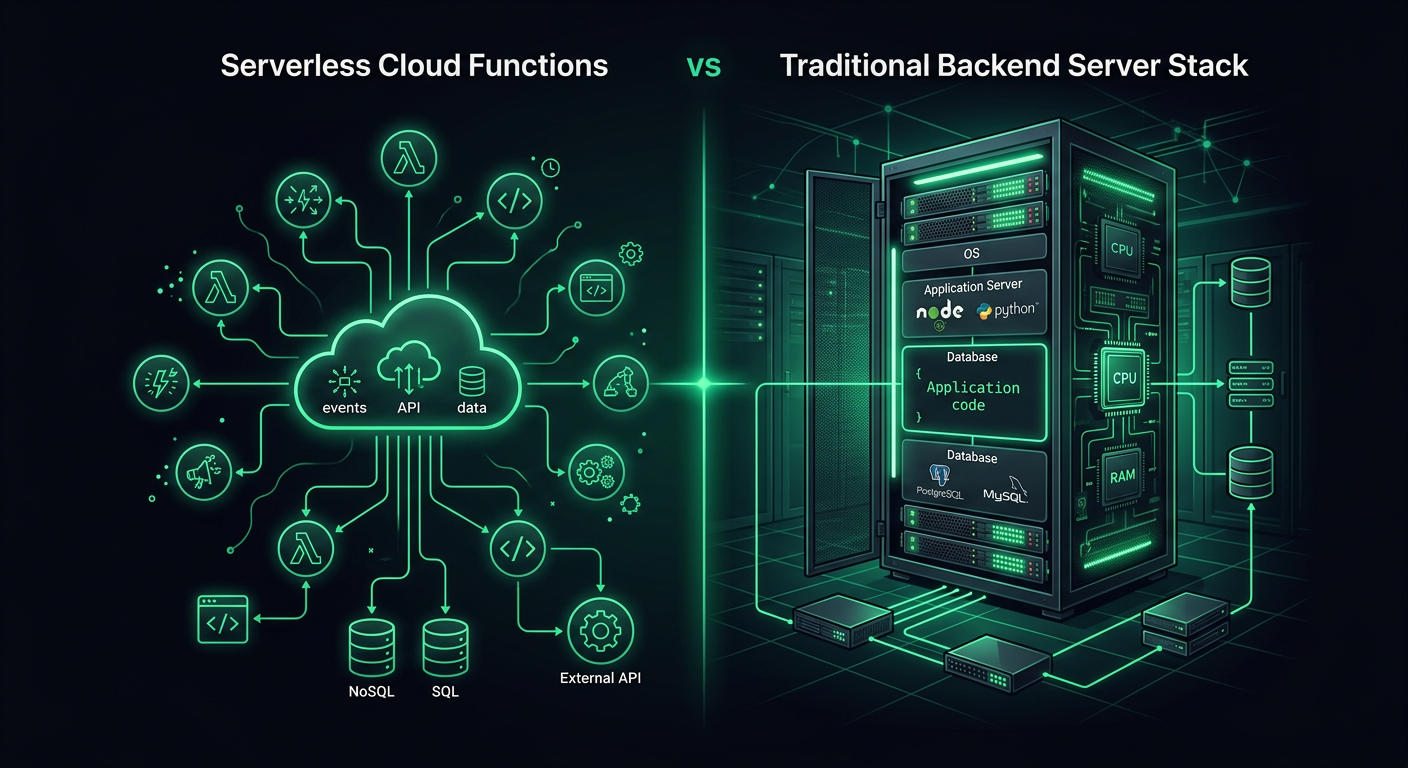
Every greenfield project I start forces the same decision: do I spin up a traditional server or write cloud functions? After shipping production systems on both sides — Firebase Functions for event-driven workflows, AWS Lambda for API endpoints, and Express/Fastify servers for everything in between — I have a fairly nuanced opinion on when each approach actually wins. The answer, predictably, is "it depends," but the specifics of what it depends on are worth exploring in detail.
Defining the Two Approaches
Before comparing, let me be precise about what I mean by each.
Traditional backend refers to a long-running server process — a Node.js Express app, a Python FastAPI server, a Go HTTP server — deployed on a VM, container, or managed compute platform. The process starts, stays running, and handles requests as they arrive. Deployment targets include EC2, Cloud Run, ECS, Railway, Fly.io, or a bare VPS.
Cloud functions (serverless functions) are individual function handlers that execute in response to events. The platform manages the compute infrastructure entirely. Your code runs, returns a response, and the execution environment may or may not persist for the next invocation. Providers include AWS Lambda, Google Cloud Functions, Firebase Functions, Azure Functions, and Cloudflare Workers.
The distinction is not about the language or framework — it is about the execution model. A traditional backend owns its process lifecycle. A cloud function does not.
The Cold Start Reality
Cold starts are the most discussed serverless limitation, and the reality in 2026 is more nuanced than the discourse suggests.
What Actually Happens During a Cold Start
When a cloud function has not been invoked recently (or when concurrent invocations exceed available warm instances), the platform must:
- Provision a new execution environment (microVM or container)
- Download and extract your deployment package
- Initialize the runtime (Node.js, Python, etc.)
- Execute your initialization code (module imports, SDK setup, DB connections)
- Execute the actual function handler
Steps 1-3 are platform overhead. Step 4 is where your code choices matter enormously.
Cold Start Numbers in Practice
Here are the cold start times I have measured across different platforms and configurations in real projects:
| Platform | Runtime | Bundle Size | Cold Start |
|---|---|---|---|
| AWS Lambda | Node.js 20 | 5 MB | 250-400ms |
| AWS Lambda | Node.js 20 | 50 MB | 800-1200ms |
| AWS Lambda | Python 3.12 | 10 MB | 400-600ms |
| Firebase Functions v2 | Node.js 20 | 15 MB | 600-1000ms |
| Cloudflare Workers | JavaScript | 1 MB | 0-5ms |
| Google Cloud Functions v2 | Node.js 20 | 10 MB | 300-500ms |
Cloudflare Workers are the outlier because they use V8 isolates instead of containers, which eliminates the container startup penalty entirely. The trade-off is a more constrained runtime environment.
Mitigating Cold Starts
There are several strategies that genuinely help:
Provisioned concurrency (Lambda): Keeps N instances warm at all times. Costs $0.0000041667 per GB-second of provisioned capacity. For a 256MB function, that is about $3.20/month per warm instance. Worth it for latency-sensitive endpoints.
Minimum instances (Cloud Run, Firebase Functions v2): Same concept, different naming. Cloud Run charges for idle instances at a reduced rate.
Bundle size reduction: This has the highest impact-to-effort ratio. Tree-shaking, excluding dev dependencies, and using lighter SDK clients dramatically reduce initialization time.
// Bad: imports the entire AWS SDK (adds 40MB+ to bundle)
import AWS from 'aws-sdk';

// Good: imports only the S3 client (adds ~3MB)
import { S3Client, GetObjectCommand } from '@aws-sdk/client-s3';
Lazy initialization: Do not establish database connections or load heavy resources at module scope. Initialize them on first invocation and reuse across warm invocations.
import { Pool } from 'pg';

let pool: Pool | null = null;

function getPool(): Pool {
  if (!pool) {
    pool = new Pool({
      connectionString: process.env.DATABASE_URL,
      max: 1, // Single connection per Lambda instance
    });
  }
  return pool;
}

export async function handler(event: APIGatewayEvent) {
  const db = getPool();
  const result = await db.query('SELECT * FROM users WHERE id = $1', [event.pathParameters?.id]);
  return { statusCode: 200, body: JSON.stringify(result.rows[0]) };
}
Cost Comparison at Different Scales
Cost is where the conversation gets interesting, because the economics invert as traffic scales.
Low Traffic (1,000 - 50,000 requests/day)
At this scale, serverless is almost always cheaper. Many startups and side projects fall here.
Lambda cost for 30,000 requests/day, 200ms avg duration, 256MB memory:
- Request charges: 900K requests/month x $0.20/million = $0.18
- Compute charges: 900K x 0.2s x 0.25GB x $0.0000166667 = $0.75
- Total: ~$1/month
Equivalent traditional server (t4g.small on AWS):
- On-demand: $12.26/month
- With 1-year Savings Plan: ~$8/month
At low traffic, you are paying for an always-on server that is 95% idle.
Medium Traffic (100,000 - 1,000,000 requests/day)
This is the crossover zone where the comparison gets close.
Lambda cost for 500,000 requests/day, 200ms avg, 256MB:
- Request charges: 15M/month x $0.20/million = $3.00
- Compute charges: 15M x 0.2s x 0.25GB x $0.0000166667 = $12.50
- Total: ~$15.50/month
t4g.medium (2 vCPU, 4GB RAM):
- On-demand: $24.53/month
- With Savings Plan: ~$16/month
The costs are comparable, but the traditional server handles this traffic with significant headroom. If your traffic is steady, the server is slightly cheaper. If your traffic is spiky (weekday-heavy, event-driven bursts), Lambda's per-invocation billing means you do not pay for quiet periods.
High Traffic (5,000,000+ requests/day)
At this scale, serverless is almost always more expensive for sustained workloads.
Lambda cost for 5,000,000 requests/day, 200ms avg, 512MB:
- Request charges: 150M/month x $0.20/million = $30
- Compute charges: 150M x 0.2s x 0.5GB x $0.0000166667 = $250
- Total: ~$280/month
c6g.large (2 vCPU, 4GB RAM) with auto-scaling group:
- 2 instances with Savings Plan: ~$60/month
- With load balancer: ~$16/month
- Total: ~$76/month
The traditional approach is 3.7x cheaper at this scale, and the gap widens as traffic increases.
Hidden Costs to Account For
Lambda's billing is not the whole picture. Add API Gateway ($1-3.50 per million requests), CloudWatch Logs ($0.50/GB ingested), and X-Ray tracing if you use it. On the traditional side, add load balancer costs, monitoring, and the ops time for managing instances and deployments.
Developer Experience Differences
Serverless DX
Advantages:
- No infrastructure to manage (no patching, no scaling configuration)
- Per-function deployment means smaller blast radius
- Local development with emulators (Firebase Emulator Suite, SAM CLI, Serverless Framework offline)
- Built-in observability through the platform's logging and tracing
Pain points:
- Local development never perfectly matches production behavior
- Debugging distributed function-to-function calls is harder than stepping through a monolith
- Deployment size limits (Lambda: 250MB unzipped) constrain dependency choices
- IAM and permission configuration is verbose and easy to get wrong
- Cold starts make development iteration loops slower when testing against deployed functions
Traditional Backend DX
Advantages:
- The local development environment is the production environment (same process, same state)
- Debugging is straightforward — attach a debugger, set breakpoints, step through
- No deployment size limits
- Middleware patterns, request lifecycle hooks, and global error handling are natural
- WebSocket support, long-running processes, and background jobs work without extra services
Pain points:
- You own the infrastructure lifecycle (updates, scaling, health checks)
- Deployments require orchestration (rolling updates, health check grace periods)
- Scaling requires configuration (auto-scaling groups, container orchestration)
- Monitoring and logging require explicit setup
The Framework Gap Is Closing
Frameworks like SST (Serverless Stack) and Architect have dramatically improved the serverless DX. SST in particular provides a "Live Lambda" development mode where your locally running code handles Lambda invocations in real-time, eliminating the deploy-test cycle entirely.
On the traditional side, platforms like Railway, Fly.io, and Render have simplified deployment to git push. The ops burden of running a traditional backend has decreased significantly.
When Serverless Wins
Event-Driven Workloads
If your code runs in response to events — file uploads, database changes, queue messages, scheduled tasks — serverless is the natural fit. You are not maintaining a polling loop or a listener process. The platform triggers your code exactly when needed.
// Firebase Functions: triggered on Firestore document creation
import { onDocumentCreated } from 'firebase-functions/v2/firestore';

export const onOrderCreated = onDocumentCreated('orders/{orderId}', async (event) => {
  const order = event.data?.data();
  if (!order) return;

  // Send confirmation email
  await sendEmail(order.customerEmail, {
    template: 'order-confirmation',
    data: { orderId: event.params.orderId, items: order.items },
  });

  // Update inventory
  await updateInventory(order.items);

  // Notify restaurant
  await sendPushNotification(order.restaurantId, {
    title: 'New Order',
    body: `Order #${event.params.orderId} received`,
  });
});
Sporadic or Unpredictable Traffic
An internal tool that gets 50 requests on Monday morning and 2 requests the rest of the week. A webhook receiver that processes events from a third-party API. A scheduled report generator that runs for 30 seconds once a day. These workloads have near-zero cost on serverless and waste money on always-on infrastructure.
API Endpoints with Low-to-Medium Traffic
For a startup's MVP API serving a few thousand requests per day, serverless provides a functional backend with minimal ops overhead and near-zero cost. You can focus entirely on business logic.
Parallel Data Processing
Need to process 10,000 images, transcode 500 videos, or run analytics on a large dataset? Fan out to thousands of concurrent Lambda invocations, process in parallel, and pay only for the compute time used. Achieving the same parallelism with traditional servers requires provisioning (and paying for) that peak capacity.
When Traditional Backends Win
Persistent Connections
WebSocket connections, Server-Sent Events, gRPC streams, and long-polling all require a persistent connection between client and server. Lambda functions have a 15-minute execution limit and are not designed for long-lived connections.
You can work around this with API Gateway WebSocket APIs or AWS IoT Core, but the complexity and cost often exceed a simple WebSocket server on Cloud Run or a container platform.
Complex Request Pipelines
When a request passes through authentication, rate limiting, input validation, business logic, database operations, cache updates, event emission, and response formatting — the middleware pipeline pattern of Express/Fastify/Koa is ergonomically superior to the flat handler pattern of cloud functions.
// Traditional: clean middleware pipeline
app.use(cors());
app.use(helmet());
app.use(rateLimiter);
app.use(authenticate);
app.use('/api/v1', apiRouter);
app.use(errorHandler);
Replicating this in Lambda requires either a framework like Middy (which adds weight and complexity) or duplicating setup code across functions.
Stateful Operations
If your application maintains in-memory state — a cache, a connection pool, a rate limiter counter, session data — a traditional server handles this naturally. Lambda functions can reuse state across warm invocations, but you cannot rely on it. Any state that must persist needs an external service (Redis, DynamoDB), which adds latency and cost.
Tight Latency Requirements
For APIs where every millisecond matters — real-time bidding, game servers, financial transactions — the unpredictable latency introduced by cold starts is unacceptable, even with provisioned concurrency. A well-tuned server process with connection pooling and warm caches delivers consistent sub-10ms response times that serverless cannot guarantee.
The Hybrid Approach
In practice, most production systems I build end up hybrid. The core API runs on a traditional backend (Cloud Run or a container platform), while ancillary workloads run on cloud functions.
A Practical Hybrid Architecture
Client
  │
  ├─→ API Gateway / Load Balancer
  │     └─→ Cloud Run (main API)
  │           ├─→ PostgreSQL (Cloud SQL)
  │           ├─→ Redis (Memorystore)
  │           └─→ Pub/Sub (event bus)
  │
  └─→ Cloud Functions (event handlers)
        ├─→ Image processing (on upload)
        ├─→ Email sending (on order creation)
        ├─→ Analytics aggregation (scheduled)
        └─→ Webhook processing (HTTP trigger)
The main API handles synchronous request-response traffic with persistent database connections, in-memory caching, and consistent latency. Cloud functions handle asynchronous, event-driven workloads where cold starts do not matter because the user is not waiting for a response.
Migration Strategy: Traditional to Serverless
If you have an existing traditional backend and want to adopt serverless selectively:
- Identify event-driven operations currently running as background jobs, cron tasks, or queue consumers. These are the easiest to migrate.
- Extract independent endpoints that do not share state with other endpoints. Health check endpoints, webhook receivers, and utility APIs are good candidates.
- Keep the core API traditional unless you have a compelling reason to decompose it. The operational overhead of managing 50 Lambda functions often exceeds managing one container.
- Use an event bus (Pub/Sub, EventBridge, SQS) as the integration layer between your traditional API and serverless functions. The API publishes events; functions subscribe and react.
Migration Strategy: Serverless to Traditional
Going the other direction is sometimes necessary when a serverless API outgrows its architecture:
- Do not rewrite everything at once. Start by consolidating the highest-traffic functions into a single API server.
- Keep event-driven functions as functions. Only migrate request-response handlers.
- Use the same API routes. Point your API Gateway/load balancer at the new server for migrated routes and continue routing to Lambda for the rest.
- Migrate database connections first. The biggest performance win is moving from per-invocation connection setup to persistent connection pooling.
Platform-Specific Notes
Firebase Functions (v2)
Firebase Functions v2 runs on Cloud Run under the hood, which gives it significant advantages over v1: configurable concurrency (multiple requests per instance), minimum instances, longer timeouts (up to 60 minutes), and larger memory allocations. If you are on Firebase v1 functions, the upgrade to v2 is worth the migration effort.
The Firebase Emulator Suite provides the best local development experience in the serverless space. It emulates Firestore, Auth, Storage, and Functions in a single local environment, with hot-reload on code changes.
AWS Lambda
Lambda has the deepest integration ecosystem — triggers from virtually every AWS service, layers for shared code, and SnapStart for Java workloads. The function URL feature eliminates the need for API Gateway for simple use cases, saving $3.50 per million requests.
Lambda@Edge and CloudFront Functions are powerful for request/response manipulation at the CDN level, but the development and debugging experience is significantly worse than standard Lambda.
Cloud Run
Cloud Run blurs the line between serverless and traditional. It runs containers (any language, any framework), scales to zero, and supports concurrency (multiple requests per instance). It is serverless in billing model but traditional in execution model. For teams that want serverless economics without rewriting their code as function handlers, Cloud Run is often the right answer.
Making the Decision
Here is the decision framework I use:
- Is the workload event-driven and asynchronous? Serverless.
- Is traffic low and unpredictable? Serverless.
- Do you need persistent connections or in-memory state? Traditional.
- Is consistent low latency critical? Traditional.
- Is the team small and ops-averse? Serverless (or Cloud Run).
- Is traffic high and steady? Traditional (cheaper).
- Is it a mix of the above? Hybrid.
The worst decision is treating this as an all-or-nothing choice. Use the right tool for each workload, connect them through well-defined interfaces, and you get the benefits of both without committing entirely to either.
Danil Ulmashev
Full Stack Developer
Need a senior developer to build something like this for your business?